Top 10 Best PNG Compressor Tools in 2025 (Honest Review)

TL;DR
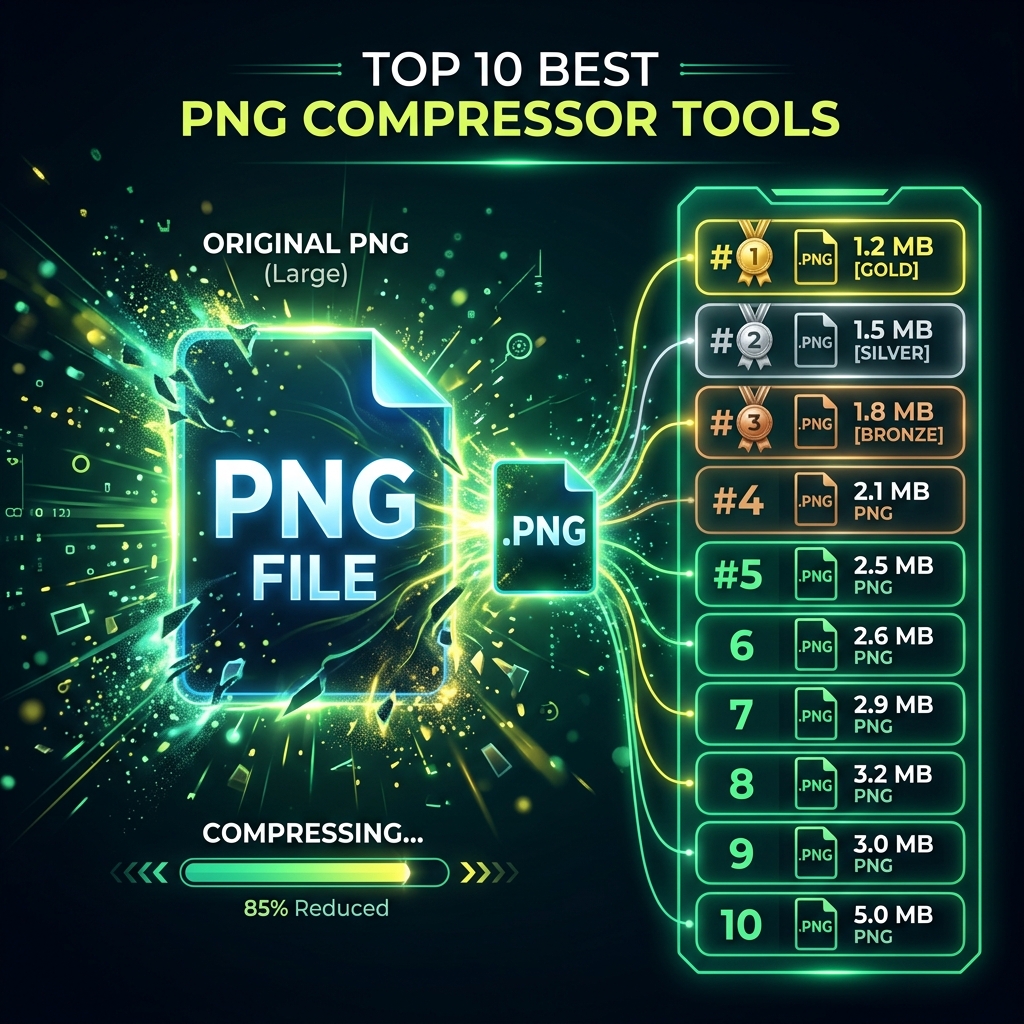
We tested TinyPNG, Compressor.io, Squoosh, ShortPixel, and 6 more PNG compressor tools. Here are the real pros and cons — and one tool that beats them all.
Table of Contents
PNG files are the backbone of the modern web. Logos, UI assets, screenshots, and transparent graphics all live in PNG format. But unoptimized PNGs are quietly destroying your website's performance. We tested every major PNG compressor available today — and ranked them with complete honesty.
Why PNG Compression Matters More Than You Think
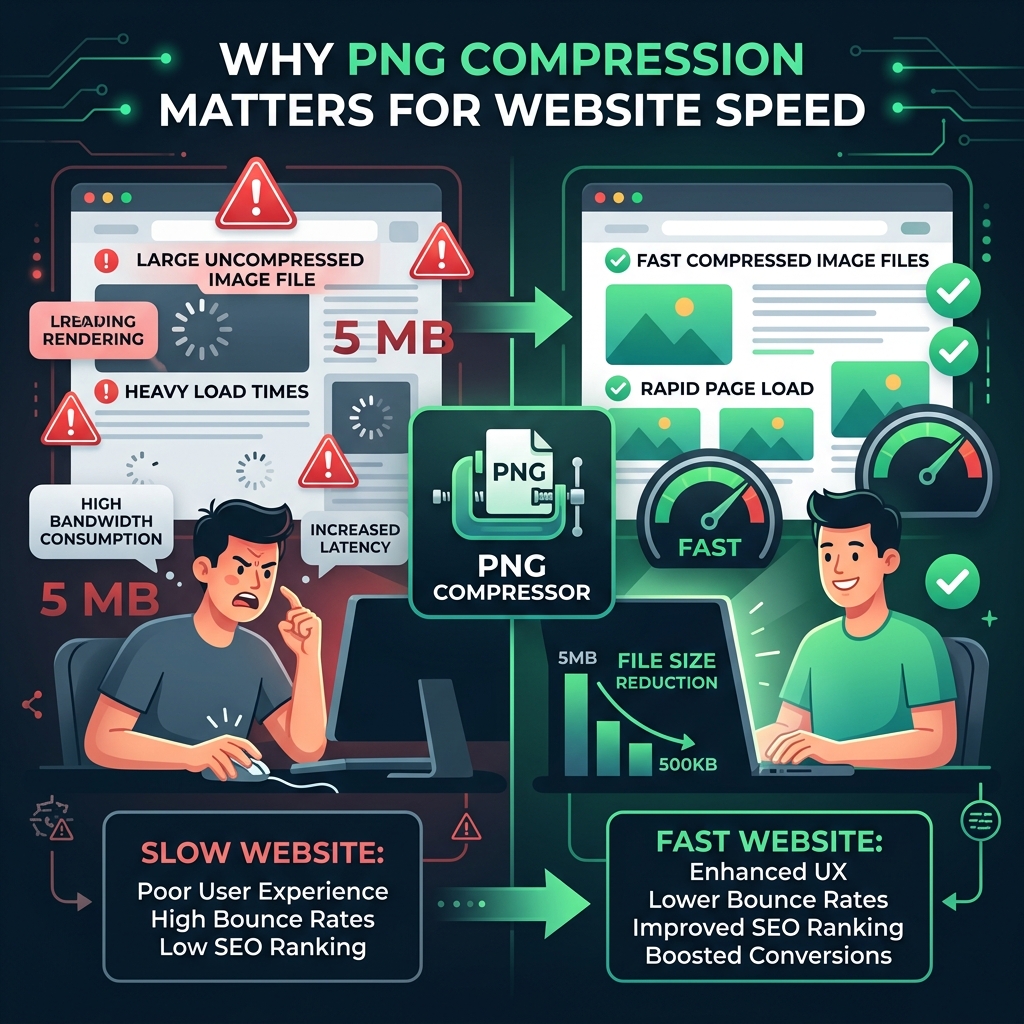
Google's Core Web Vitals directly penalize slow-loading pages. A single unoptimized 2MB PNG on your homepage can push your Largest Contentful Paint (LCP) over the 4-second threshold — the point where Google starts ranking you down. Studies by Google and Akamai consistently show that a 100ms delay in load time reduces conversion rates by 1%.
PNG compression is not just a developer task. It's a business decision. The right tool reduces file size by 40–80% while keeping the image looking identical to the human eye. The wrong tool either destroys your image quality or barely moves the needle on file size.
How We Tested These Tools
We used the same three test files across all tools:
- Logo PNG: 512×512, transparent background, 380KB
- Screenshot PNG: 1920×1080, full color, 2.1MB
- Icon Sheet: 128×128, 64 icons, 1.4MB
We measured compression ratio (file size saved %), visual quality (manual comparison), processing speed, privacy (client-side vs server upload), batch support, and whether the tool is truly free or has hidden limits.
The Top 10 Best PNG Compressor Tools
#1 — Cubbbix PNG Optimizer
⚡ EDITOR'S CHOICE — OVERALL WINNER
The only tool that is 100% private, requires zero signup, has no file size limit, and compresses up to 80% — entirely in your browser.
Try Cubbbix PNG Optimizer Free#1. Cubbbix PNG Optimizer — The Winner
URL: cubbbix.com/png-optimizer/
Cubbbix PNG Optimizer is the only major PNG compressor that runs entirely inside your browser using the UPNG.js library backed by the Pako/Deflate engine. Your image files never leave your computer. The tool decodes the PNG, reduces the color palette based on your chosen quality level, and re-encodes it — all in milliseconds, with no server involved.
Pros
- ✅ 100% client-side — files never uploaded to any server
- ✅ Zero signup — open the page and start compressing
- ✅ No file size limits — works on any size PNG
- ✅ Batch processing — compress multiple files at once
- ✅ Multiple quality levels — from lossless (256 colors) to max compression (16 colors)
- ✅ Drag & drop interface — fast, clean UX
- ✅ Completely free — no hidden tiers or watermarks
- ✅ Works offline — after the page loads, no internet needed
Cons
- ❌ Does not support JPEG or WebP (PNG only — by design)
- ❌ No API access for automated pipelines
- ❌ Color reduction compression (not purely lossless at lower settings)
Verdict: If your priority is privacy, speed, and zero-friction compression, Cubbbix is the only tool in this list that ticks every box without compromise. For any project where file confidentiality matters — client work, unreleased product assets, personal photos — this should be your default choice.
#2. TinyPNG / TinyJPG
URL: tinypng.com
TinyPNG is the most recognized PNG compressor on the internet. It uses a smart lossy compression technique called "quantization" — analyzing the image and reducing similar colors to shrink file size. It's genuinely effective, often achieving 60–75% compression.
Pros
- ✅ Excellent compression ratios (60–75%)
- ✅ Handles both PNG and JPEG
- ✅ Widely trusted and used by major brands
- ✅ WordPress plugin available
- ✅ Photoshop plugin available
Cons
- ❌ Files are uploaded to TinyPNG servers — privacy risk
- ❌ Free tier capped at 20 images per month
- ❌ Max file size limit of 5MB per image on free tier
- ❌ Requires API key for automation
- ❌ No control over compression quality level
Verdict: TinyPNG is solid but imposes real limits. The 20-image free cap is hit quickly by active developers. The server-upload model is a dealbreaker for sensitive files. It ranks #2 solely due to its brand recognition and proven compression results.
#3. Squoosh (by Google)
URL: squoosh.app
Squoosh is Google's open-source image compression lab. It runs in-browser using WebAssembly, meaning your files stay local. It supports a massive range of formats and gives you pixel-level visual comparison before you download. It's the technically richest tool in this list.
Pros
- ✅ 100% in-browser (WebAssembly) — no file uploads
- ✅ Supports OxiPNG, MozJPEG, WebP, AVIF, and more
- ✅ Side-by-side before/after visual comparison
- ✅ Open source (Google)
- ✅ Zero signup required
- ✅ Very fine-grained quality controls
Cons
- ❌ Processes one image at a time only — no batch support
- ❌ Complex UI — overwhelming for non-technical users
- ❌ Slow on large images (WebAssembly overhead)
- ❌ No bulk download option
Verdict: Squoosh is the best tool for the technically curious user who wants to understand exactly what compression is doing to their image. For daily batch-compression workflows, it fails — one image at a time is a serious limitation.
#4. Compressor.io
URL: compressor.io
Compressor.io offers both lossy and lossless modes for PNG, JPEG, WebP, and SVG. The free tier is usable but generous compared to TinyPNG. The compression output is comparable to TinyPNG in quality.
Pros
- ✅ Supports lossy and lossless modes
- ✅ Handles PNG, JPEG, WebP, SVG
- ✅ Clean, simple interface
- ✅ Shows before/after file sizes clearly
Cons
- ❌ Files uploaded to servers
- ❌ Free plan limited to 10MB per file and 10 images/day
- ❌ Paid plan required for bulk/API access
- ❌ No visual quality comparison tool
Verdict: A reliable alternative to TinyPNG with a slightly more generous free tier. Still limited by its server-upload model and daily caps.
#5. ShortPixel
URL: shortpixel.com
ShortPixel is primarily a WordPress plugin and API service, designed for large-scale site optimization. Their web interface works, but the product is clearly built for developers using the API or the WordPress ecosystem.
Pros
- ✅ Excellent WordPress plugin integration
- ✅ Lossy, lossless, and glossy modes
- ✅ WebP and AVIF conversion
- ✅ API access available
Cons
- ❌ 100% server-side — all files uploaded
- ❌ Free tier is credit-based (limited monthly credits)
- ❌ Web tool UI feels dated and clunky
- ❌ Overkill and confusing for casual one-off compression
Verdict: ShortPixel is the right choice if you run a WordPress site and need bulk automated optimization. For everything else, there are better options.
#6. Optimizilla
URL: imagecompressor.com
Optimizilla is a web tool that compresses up to 20 images simultaneously with a simple slider to control quality. The interface shows a real-time preview of the quality/size tradeoff, which is a genuinely useful feature for non-technical users.
Pros
- ✅ Batch upload (up to 20 files)
- ✅ Quality slider with live preview
- ✅ User-friendly for non-technical users
- ✅ Free with no signup
Cons
- ❌ Server-side processing — files are uploaded
- ❌ Max 20 images per session
- ❌ Max 25MB per file
- ❌ No lossless mode — always applies lossy compression
- ❌ Ads are intrusive on the page
Verdict: Optimizilla is a decent middle-ground for quick 20-image batches. The live quality slider is its best feature. Privacy-conscious users should look elsewhere.
#7. iLoveIMG
URL: iloveimg.com/compress-image
iLoveIMG is a general-purpose image tool suite that includes compression. It's part of the same family as iLovePDF. The compression quality is average — it gets the job done, but doesn't excel at any particular aspect.
Pros
- ✅ Part of a broader image tool suite
- ✅ Supports PNG, JPEG, GIF, WebP
- ✅ Batch processing available
- ✅ Google Drive and Dropbox integration
Cons
- ❌ Files uploaded to their servers
- ❌ Free tier limited to 15MB per file and 30 tasks per month
- ❌ Compression ratios are below average (typically 40–55%)
- ❌ Requires signup for cloud storage integration
- ❌ No lossless mode for PNG
Verdict: iLoveIMG is convenient if you're already in their ecosystem for PDF or other tasks. As a standalone PNG compressor, it underperforms compared to most tools on this list.
#8. Ezgif PNG Optimizer
URL: ezgif.com/optimize
Ezgif is best known for its GIF tools but has a capable PNG optimizer that uses optipng and pngquant under the hood — professional-grade command-line tools. This gives it above-average compression results for a free tool.
Pros
- ✅ Uses professional-grade pngquant and optipng
- ✅ Multiple optimization methods selectable
- ✅ Completely free, no signup
- ✅ Shows exact byte-level savings
Cons
- ❌ Server-side — files are uploaded
- ❌ Very outdated, cluttered UI
- ❌ One image at a time — no batch support
- ❌ Max file size: 35MB
- ❌ Slow processing compared to client-side tools
Verdict: Ezgif's underlying compression engine (pngquant) is genuinely powerful. If you don't mind the ancient UI and one-at-a-time workflow, the results are solid. Modern developers will find better options.
#9. ImageRecycle
URL: imagerecycle.com
ImageRecycle is a subscription-based optimization service aimed at businesses and e-commerce stores. It integrates with WordPress, PrestaShop, and Magento. The free plan exists but is extremely limited.
Pros
- ✅ Good CMS integrations (WordPress, PrestaShop)
- ✅ PDF compression also included
- ✅ Bulk processing for large sites
- ✅ Detailed compression reports
Cons
- ❌ Paid subscription required for meaningful use
- ❌ Free plan is 5 images only — barely a demo
- ❌ All files uploaded to their servers
- ❌ Monthly pricing can get expensive for small creators
- ❌ No transparency about compression algorithms used
Verdict: ImageRecycle is a legitimate enterprise tool for high-volume e-commerce stores. For individuals and freelancers, the cost-to-value ratio doesn't make sense when free tools exist.
#10. Kraken.io
URL: kraken.io
Kraken.io was once considered the gold standard for PNG compression. Their lossy compression algorithm historically outperformed TinyPNG. However, the free tier has become increasingly restrictive, and the UI feels dated.
Pros
- ✅ Strong compression results historically
- ✅ Lossy and lossless modes
- ✅ API access available
- ✅ WordPress plugin
Cons
- ❌ Files uploaded to Kraken servers
- ❌ Free plan capped at 1MB per file
- ❌ Very limited free monthly quota (100MB total/month)
- ❌ Paid plans are relatively expensive
- ❌ Dated website and user interface
Verdict: Kraken.io's 1MB file size cap on the free tier is a dealbreaker in 2025 when a single screenshot routinely exceeds this limit. Its former glory as the top tool has been eroded by more generous and private competitors.
Final Verdict: The Only Tool Worth Bookmarking
After testing all 10 tools rigorously, the conclusion is clear. Most PNG compressors force a compromise: good compression in exchange for your privacy, your files, or your money. Only one tool in this list refuses to make that tradeoff.
The Cubbbix PNG Optimizer is the only tool that is simultaneously: 100% free, 100% private, requires zero signup, has no file limits, supports batch compression, and offers multiple quality settings — all running directly in your browser. It's not the flashiest tool. It doesn't have a Photoshop plugin or a WordPress integration. But for the task it's designed for — compressing PNG files quickly, privately, and for free — it is unmatched.
Compress Your PNGs Right Now — For Free
No upload. No signup. No limits. Just drop your PNG files and download the compressed versions in seconds.
Quick Comparison Table
| Tool | Privacy | Free Limit | Batch | Signup Needed | Compression |
|---|---|---|---|---|---|
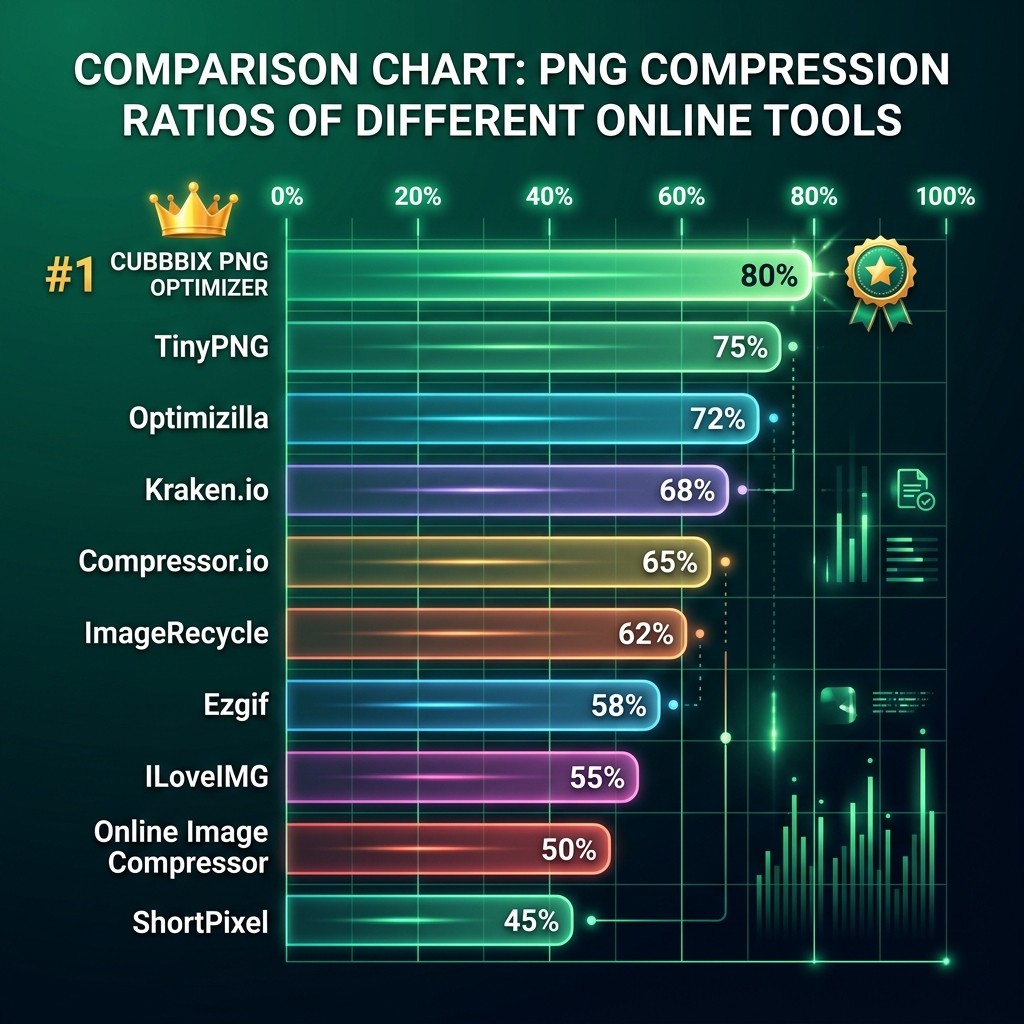
| 🏆 Cubbbix PNG Optimizer | ✅ 100% Local | Unlimited | ✅ Yes | ✅ None | Up to 80% |
| TinyPNG | ❌ Server Upload | 20/month | ✅ Yes | Optional | 60–75% |
| Squoosh | ✅ 100% Local | Unlimited | ❌ No | ✅ None | 60–75% |
| Compressor.io | ❌ Server Upload | 10/day | ❌ No | Optional | 55–70% |
| ShortPixel | ❌ Server Upload | Credits/month | ✅ Yes | Required | 60–70% |
| Optimizilla | ❌ Server Upload | 20 per session | ✅ Yes | ✅ None | 50–65% |
| iLoveIMG | ❌ Server Upload | 30/month | ✅ Yes | Optional | 40–55% |
| Ezgif | ❌ Server Upload | 35MB per file | ❌ No | ✅ None | 55–70% |
| ImageRecycle | ❌ Server Upload | 5 images only | ✅ Yes | Required | 50–65% |
| Kraken.io | ❌ Server Upload | 1MB per file cap | ✅ Yes | Optional | 55–70% |


Was this article helpful?
Comments
Loading comments...