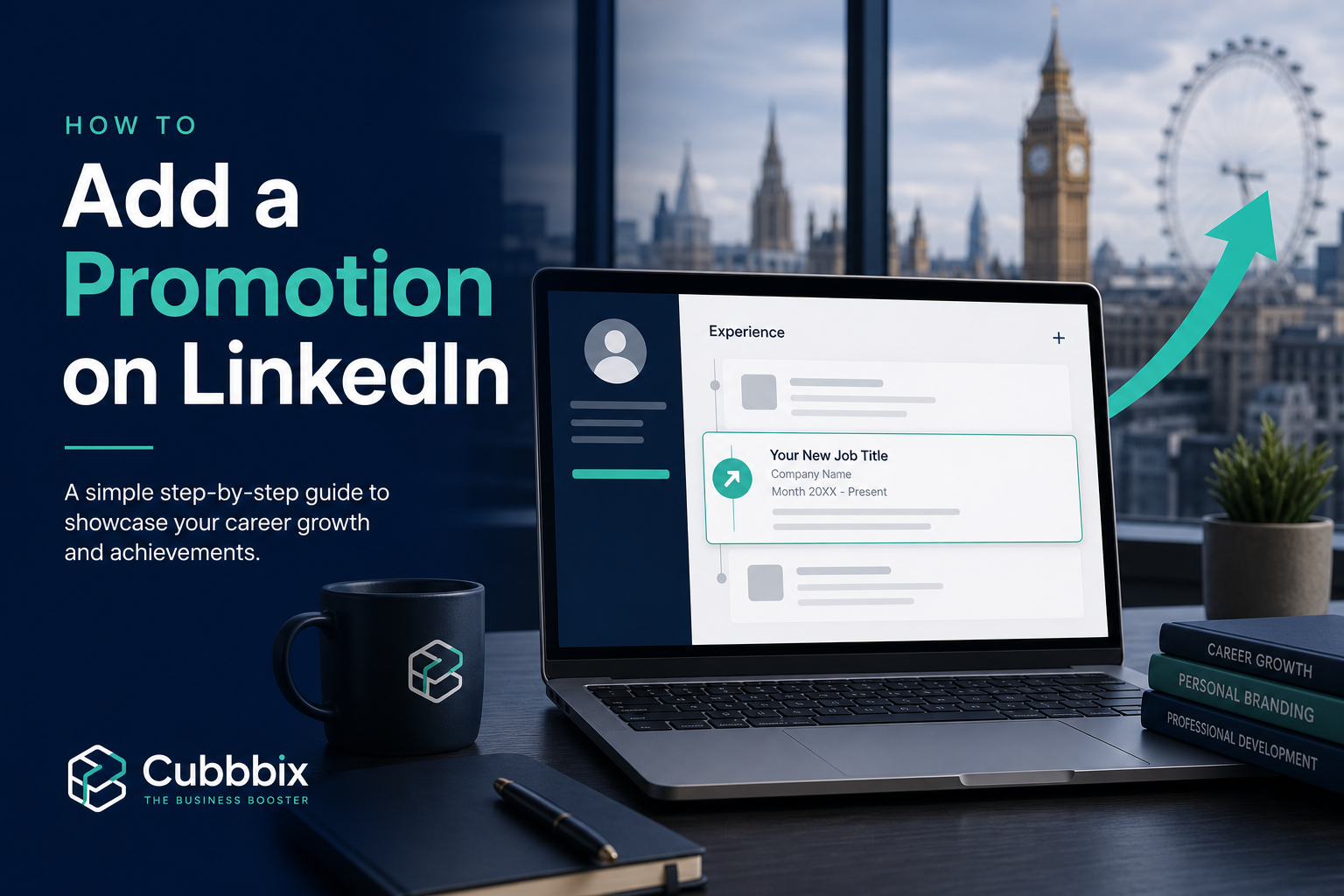
How to Add a Promotion on LinkedIn (UK Guide 2026): Same Company, New Role, and Visibility Tips

TL;DR
Learn exactly how to add a promotion on LinkedIn with this UK-focused 2026 guide. Includes same-company promotion setup, profile visibility tips, mistakes to avoid, and keyword-ready templates.
Table of Contents
If you are searching how to add a promotion on linkedin, you are already making a smart career move. Promotions are not just internal HR milestones; on LinkedIn, they are trust signals for recruiters, clients, and hiring managers. In the UK market, where recruiters often screen fast and decide faster, the way you present a promotion can directly influence inbound opportunities.
This practical guide shows exactly how to add a job promotion on linkedin, how to add a new promotion on linkedin, and how to add a promotion on linkedin same company. We will also cover how to show promotion on linkedin so your progression looks credible, discoverable, and recruiter-friendly.
Quick answer: Go to your profile, add a new position in Experience (or edit your current role), keep the same company name, align dates properly, update headline/About, and decide whether to toggle network notifications.
Why Promotion Markup Matters in the UK Job Market
In the UK, LinkedIn is heavily used across finance, SaaS, consulting, healthcare, and tech hiring. Recruiters search by title, seniority, and recency. If your promotion is unclear, badly dated, or buried in one old role, you lose discoverability. If it is structured cleanly, your profile tells a stronger story: growth, trust, and impact.
- Search visibility: Updated job titles improve matching for recruiter search.
- Credibility: Promotion trails signal consistent performance and retention.
- Compensation leverage: Strong progression proof helps salary conversations.
- Inbound opportunities: Better profile clarity increases qualified messages.
H-E-E-A-T Framework for LinkedIn Promotion Content
To make this the best practical guide, we apply H-E-E-A-T for profile optimization:
H — Helpful
Clear, step-by-step actions you can execute in under 10 minutes.
E — Experience
Practical templates, examples, and positioning tactics used by real professionals.
E — Expertise
Profile architecture based on LinkedIn Help mechanics: position grouping, dates, and role structure.
A-T — Authority & Trust
No hacks, no fluff — only sustainable profile strategy that holds up under recruiter scrutiny.
Step-by-Step: How to Add a Promotion on LinkedIn
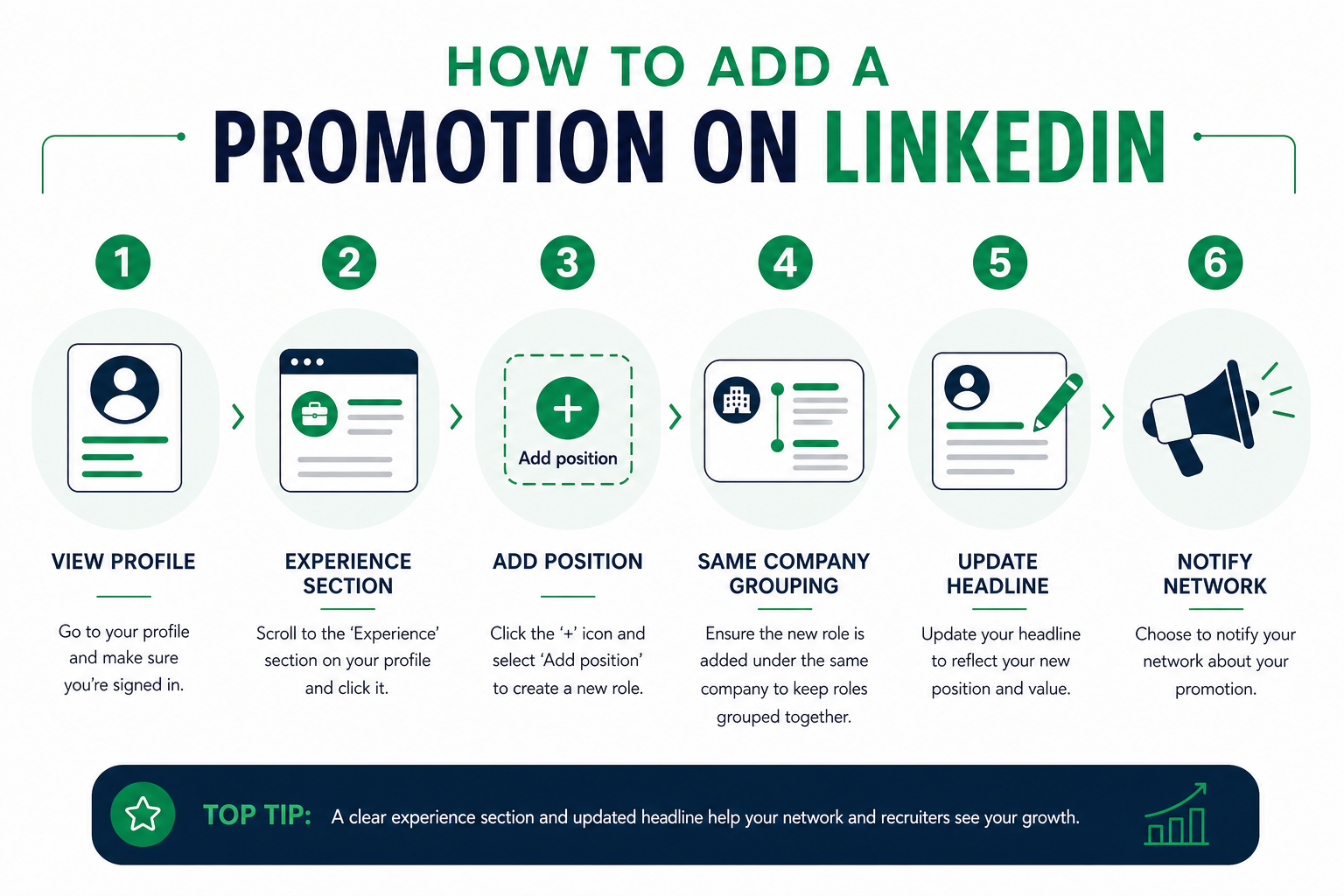
Step 1) Open your Experience section
From your profile, go to Experience. Click the + button to add a position. If your title changed but your scope did not change much, editing your existing role can also be acceptable.
Step 2) Decide between new position vs edit role
This is where most people get it wrong. If responsibilities, seniority, reporting line, or business scope changed materially, use a new position. If it is mostly a title refresh without meaningful role expansion, edit the same role.
Best practice
For most real promotions, use a new position so progression is visible. This helps with the query how to show a promotion on linkedin because each role appears distinctly under one employer.
Step 3) Keep the same company entity for grouping
When the promotion is in the same organisation, use the exact same company page/entity and align dates cleanly. LinkedIn generally groups roles under one employer when timelines align. This is key for how to add a promotion on linkedin same company.
Step 4) Rewrite achievements for the promoted role
Do not copy old bullet points. Your new role should show elevated scope and outcomes. Use metrics where possible: revenue, team size, conversion rate, lead time reduction, SLA performance, customer NPS, compliance gains, or cost savings.
Step 5) Update headline and About section
After you add the role, update your headline and first two lines of About so your new seniority is visible in search previews. Without this step, your promotion can be technically present but strategically invisible.
Step 6) Choose whether to notify your network
If your audience includes clients, peers, and potential referrers, notification can create useful momentum. If you are in a sensitive transition period, disable it and quietly optimize first.
How to Add a New Promotion on LinkedIn (Same Company) — Real Example
Before: Marketing Executive (May 2022 - Dec 2024)
After promotion: Senior Marketing Executive (Jan 2025 - Present)
Same employer entity, no date overlap errors, updated achievement bullets with higher-level outcomes.
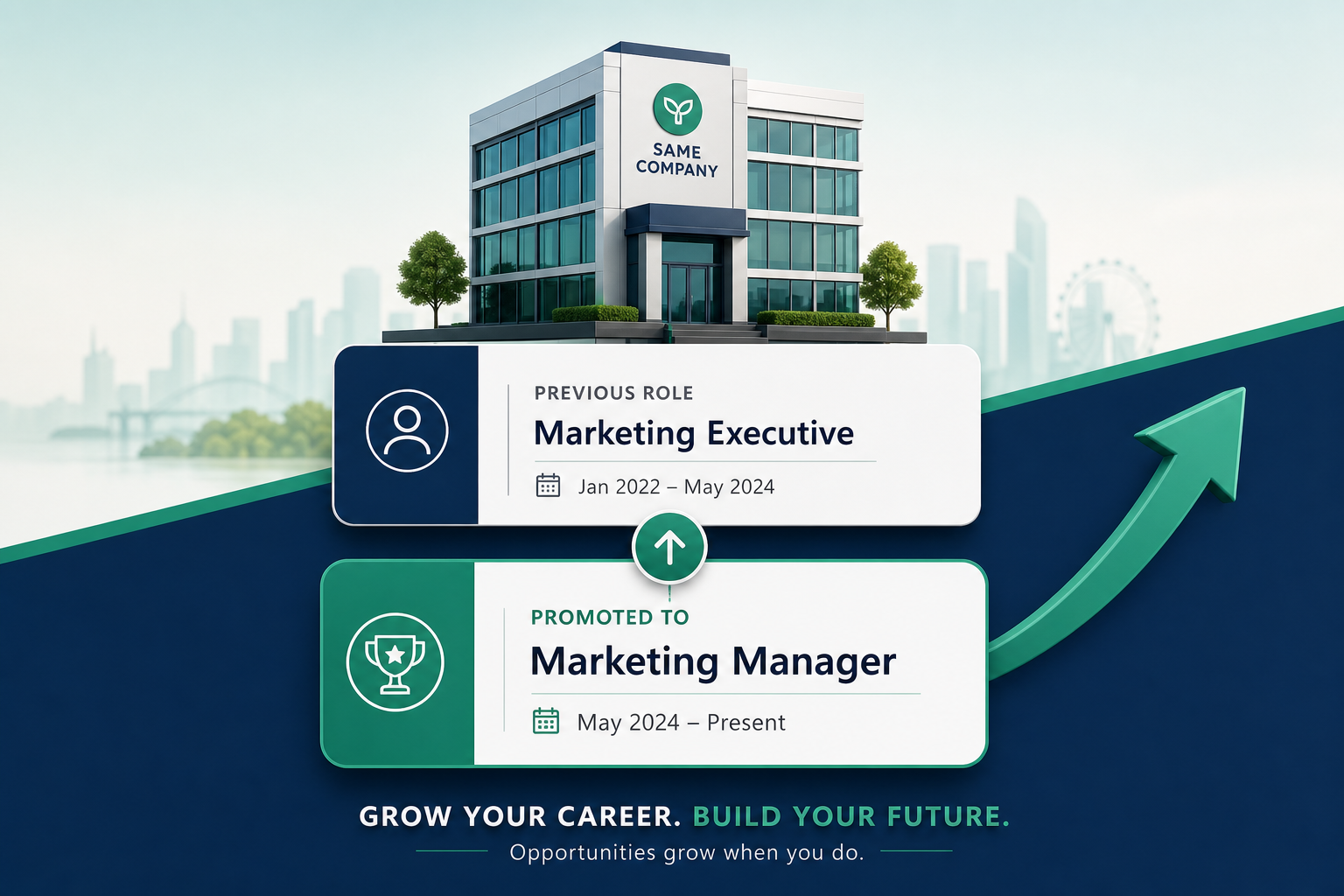
This pattern solves both how to add a job promotion on linkedin and how to add a promotion on linkedin same company while keeping your timeline easy to trust.
Promotion Description Template (Copy/Paste)
Role summary: Promoted to [New Title] to lead [team/function/process].
Scope increase: Expanded ownership from [old scope] to [new scope].
Business outcomes:
- Improved [KPI] by [X%] in [timeframe].
- Delivered [project] resulting in [commercial/operational impact].
- Mentored [N] team members and improved [delivery/quality metric].
UK-Focused Optimisation Tips
- Use clear UK market terminology in your role narrative (e.g., commercial performance, stakeholder management, delivery).
- Reflect UK spelling consistency in your profile copy for coherence.
- Align LinkedIn dates and titles with your CV exactly to avoid credibility gaps.
- If you are in regulated sectors (finance, healthcare, legal), include governance/compliance outcomes where relevant.
Looking for How to Add a Promotion on LinkedIn YouTube?
Many people search how to add a promotion on linkedin youtube for visual walkthroughs. Video can help, but UI versions change often. The safest method is to rely on current LinkedIn Help flows (Profile > Experience > Add position/Edit position) and then apply the optimisation framework in this guide.
7 Mistakes That Weaken Promotion Visibility
- Keeping the old headline after promotion.
- Using generic, metric-free descriptions.
- Creating date overlaps that break trust.
- Adding a new company accidentally instead of same employer entity.
- Posting network update before role copy is optimized.
- Ignoring skills alignment with the promoted role.
- Not pinning a relevant featured item (case study, launch, project result).
FAQ: Promotion Updates on LinkedIn
How to show promotion on LinkedIn clearly?
Add a new role entry under the same company, align dates, update headline, and include higher-level achievements with outcomes.
How to show a promotion on LinkedIn without notifying everyone?
Turn off the network notification toggle while saving your new role. You can still keep the promotion visible on your profile.
How to add a new promotion on LinkedIn if title changed only slightly?
If scope and seniority genuinely changed, use a new role. If not, editing the existing role may be cleaner.
How to add a job promotion on LinkedIn same company?
Use the same company entity/page, create the new role with correct start date, and ensure the prior role has an end date that aligns logically.
Conclusion
If your goal is to rank your professional brand in recruiter searches, mastering how to add a promotion on linkedin is a high-ROI profile upgrade. Treat each promotion as a strategic asset: clean structure, clear metrics, and consistent narrative across Experience, Headline, About, and CV.
Use this guide whenever you need to update a title, document progression, or fix visibility issues for how to add a promotion on linkedin same company. Done right, your LinkedIn profile becomes a career growth engine, not just a digital resume.


Was this article helpful?
Comments
Loading comments...