How to Read the QR Code on a Saudi E-Invoice: The TLV Tags Explained

TL;DR
That QR blob is Base64 TLV. Tag 1 seller name, tag 2 the 15-digit VAT number, tag 3 timestamp, tag 4 invoice total, tag 5 VAT total, plus the Phase 2 cryptographic tags.
Table of Contents
What is inside the QR code on a Saudi e-invoice?
Base64-encoded TLV
The QR holds Tag-Length-Value fields, not plain text. That is why a plain camera scan shows a blob of random characters.
5 Phase 1 tags
Tag 1 seller name, tag 2 the 15-digit VAT registration number, tag 3 the ISO 8601 timestamp, tag 4 the invoice total including VAT, tag 5 the VAT total.
Tags 6 to 9 are Phase 2
The invoice XML hash, the ECDSA signature, the public key, and the ZATCA signature. These prove the invoice is genuine.
Mandatory since 4 December 2021
The Phase 1 QR has been required on simplified (B2C) invoices since that date. Every restaurant receipt should carry one.
To read it, decode the Base64 payload, then walk the TLV fields: each tag is one byte for the tag number, one or more bytes for the length, then that many bytes of value. Tag 2 always holds a 15-digit VAT registration number, which is the fastest thing to check on any receipt.
If you have ever pointed your phone camera at the QR code on a Saudi receipt, you probably got a string of meaningless characters. That blob is a Base64-encoded TLV payload: a compact, machine-readable packing of the invoice's key facts. It was never meant for human eyes.
Once you know the tag layout, the blob opens up. ZATCA's e-invoicing rules define exactly which tag holds what: the seller's name, the 15-digit VAT registration number, the timestamp, the totals, and, in Phase 2, the cryptographic fields that prove the invoice is genuine.
This guide explains each tag, the difference between Phase 1 and Phase 2 QR codes, why a plain scan looks like gibberish, and what to check in the 15-digit VAT number.

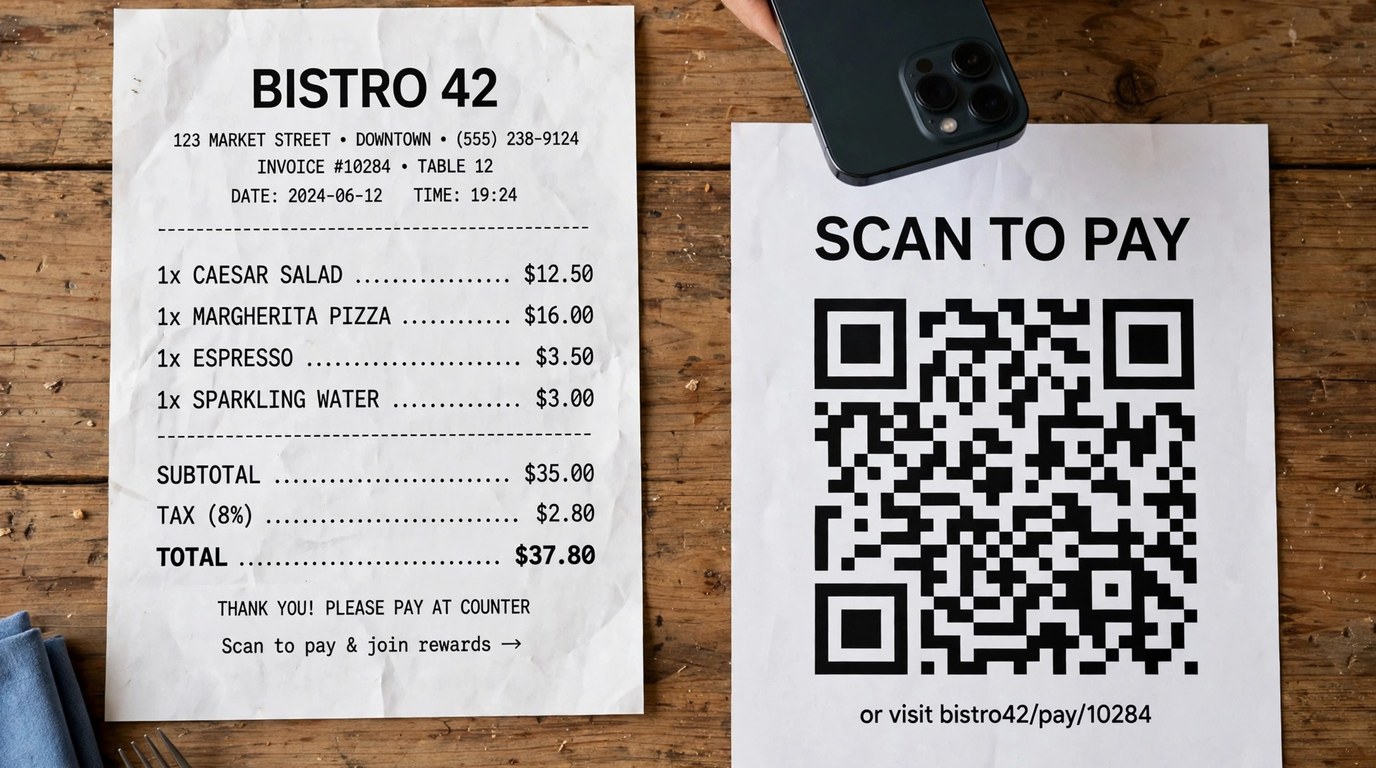
Figure 1: The QR on a Saudi receipt packs the invoice facts into a Base64-encoded TLV payload.
Why a camera scan shows a Base64 blob
A QR code can hold plain text, a URL, or any binary data. ZATCA chose binary data packed as TLV, then encoded that binary as Base64 text so it fits safely inside a QR symbol. Your phone's camera reads QR symbols and shows whatever text it finds, so you see the Base64 text, not the fields inside it.
TLV means Tag-Length-Value. Each field is stored as three parts: one byte naming the tag (1, 2, 3 and so on), bytes giving the length of the value, then the value bytes themselves. To read the QR, you Base64-decode the text back to bytes, then walk through the fields one tag at a time. A purpose-built reader does both steps for you.

Figure 2: Behind the black-and-white squares sits a strict tag layout defined by ZATCA.
The Phase 1 tags: 1 to 5
Phase 1 of e-invoicing required five tags on every simplified (B2C) invoice QR, mandatory since 4 December 2021:
- Tag 1: seller name. The registered name of the business that issued the invoice, in Arabic or English.
- Tag 2: VAT registration number. Always 15 digits. This is the seller's tax number with ZATCA.
- Tag 3: timestamp. The date and time the invoice was issued, in ISO 8601 format, for example 2026-10-23T14:30:00Z.
- Tag 4: invoice total including VAT. The full amount the customer paid.
- Tag 5: VAT total. The tax portion of that total.
These five tags are enough for a customer to check the basics: who sold it, when, for how much, and how much of it was tax. If a receipt's QR is missing any of them, or the totals do not match the printed receipt, that is worth questioning.
The Phase 2 tags: 6 to 9
Phase 2 added four cryptographic tags that let anyone verify the invoice has not been tampered with:
- Tag 6: invoice XML hash. A fingerprint of the structured invoice data.
- Tag 7: ECDSA signature. The seller's digital signature over the invoice.
- Tag 8: public key. The key needed to check that signature.
- Tag 9: ZATCA signature. ZATCA's own signature, added when the invoice is cleared or reported through their platform.

Figure 3: Phase 2 fields let the invoice's signature be checked against ZATCA's records.
The 15-digit VAT registration number
Tag 2 is the quickest integrity check on any receipt. A Saudi VAT registration number is always 15 digits. If the decoded tag 2 is shorter, longer, or contains anything other than digits, the QR payload is malformed or the invoice is suspect.
The number should also match the tax number printed elsewhere on the receipt. ZATCA provides a tax number verification service where you can confirm that a number belongs to a registered taxpayer, which is the proper way to check a number you do not recognise rather than trusting the receipt alone.
Reading a QR with the right tool
Doing the Base64 decode and TLV walk by hand is slow and error-prone. The Saudi invoice QR reader takes the scanned payload and returns each tag with its decoded value, so you can read the seller name, VAT number, timestamp and totals in seconds.
As a habit, check tag 2 and tag 4 on any receipt that matters to you: the 15-digit VAT number should look right, and the tag 4 total should match the amount you paid.
Frequently asked questions
What is TLV encoding?
Tag-Length-Value: each field is stored as a tag number, the length of the value, then the value itself. It is a compact way to pack structured fields into the binary payload inside the QR code.
Why does my phone show random characters when I scan the QR?
Your camera shows the raw Base64 text of the payload. The actual fields are inside that text and only appear after Base64 decoding and TLV parsing, which a dedicated reader does for you.
What does each Phase 1 tag contain?
Tag 1 is the seller name, tag 2 the 15-digit VAT registration number, tag 3 the ISO 8601 timestamp, tag 4 the invoice total including VAT, and tag 5 the VAT total.
What is the difference between Phase 1 and Phase 2 QR codes?
Phase 1 QR codes carry the five business tags (1 to 5). Phase 2 adds four cryptographic tags (6 to 9): the XML hash, the ECDSA signature, the public key, and the ZATCA signature, which prove the invoice is genuine and unaltered.
Which invoices must carry the QR code?
The Phase 1 QR has been mandatory on simplified (B2C) invoices since 4 December 2021. That covers the receipts ordinary customers receive from shops and restaurants.
How can I check whether a VAT number is real?
The tag 2 value must be exactly 15 digits. To go further, look the number up in ZATCA's tax number verification service, which confirms whether it belongs to a registered taxpayer.


Was this article helpful?
Comments
Loading comments...