Best TV for GTA 6: The 30fps Truth and 5 Picks That Earn It

TL;DR
GTA 6 runs at 30fps on PS5 and Xbox Series X|S. That one fact changes which TV to buy. Here are 5 picks with measured input lag, HDR brightness, and prices, plus the settings to change on day one.
Table of Contents
Best TV for GTA 6: the short version
GTA 6 launched 19 November 2026 on PlayStation 5 and Xbox Series X|S. No PC version has a date. If you own a 4K TV from the last five years with a working Game Mode, keep it. If you are buying, spend on the panel and the HDR first, and check the port count before you pay.
GTA 6 is out now, 19 November 2026, on PS5 and Xbox Series X|S. Rockstar lists no PC version and no PC date. The game targets 30 frames per second on current consoles, and Rockstar said so in its own post on 10 November 2026. That single number decides which TV is worth your money, because a TV bought for 120fps GTA 6 is a TV bought for a mode the game does not have.
This guide names five TVs with published lab numbers behind each pick, not store copy. Input lag, HDR brightness, HDMI port count, and price all come from named tests: Tom's Guide, RTINGS, FlatpanelsHD, and What Hi-Fi?. Where a number is a maker claim, this guide says so. Where Rockstar has said nothing, this guide says so too. The picks cover a dark room, a bright room, and a tight budget, and the setup section at the end covers the five settings to change on day one.
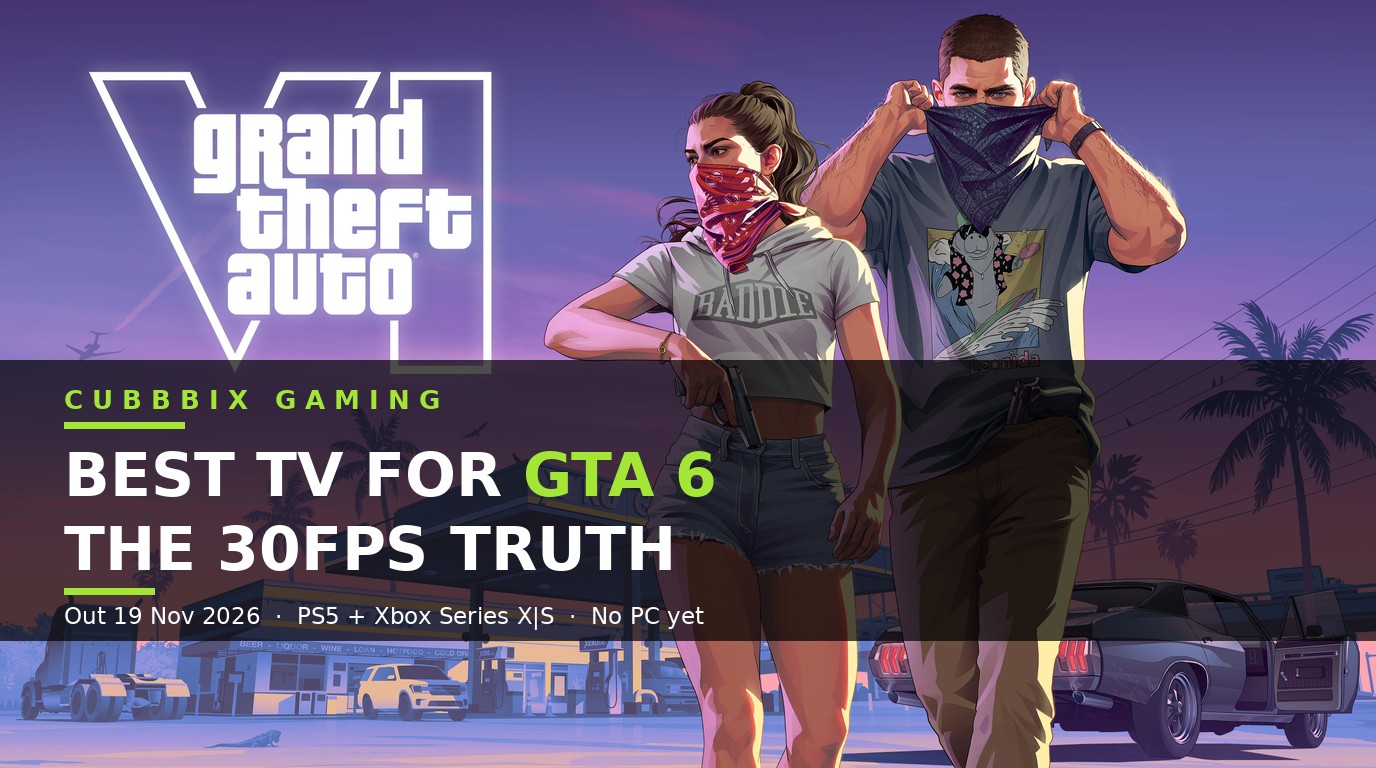
Figure 1: Grand Theft Auto VI launched 19 November 2026 on PS5 and Xbox Series X|S. Artwork: Rockstar Games.
What GTA 6 needs from a TV
Vice City runs on light. Neon signs at night, sun on water at noon, headlights in rain, and dark interiors with one lamp on. A TV earns its place in this game by showing bright highlights and deep blacks in the same frame, and by getting out of the way when you press a button. Five specs decide that, and they rank in this order for GTA 6.
First, HDR brightness and contrast. The game sends a 4K HDR signal, and the TV has to show it. OLED wins on contrast because each pixel makes its own light, so a neon sign glows while the street beside it stays black. Mini LED wins on raw brightness because thousands of tiny backlights push highlights past 2,000 nits. Both work. A dim edge lit LED panel does neither, and it shows in every night scene.
Second, input lag under 15 ms in Game Mode. This is the delay between your stick and the car. Tom's Guide measured 9.4 ms on the TCL QM7L and 9.1 ms on the LG C6. FlatpanelsHD measured about 5.9 ms on the LG C5 at 1440p 120Hz. Anything under 15 ms feels instant in a third person open world game. Anything over 25 ms feels late in a chase.
Third, HDMI 2.1 ports, and enough of them. A full bandwidth port carries 4K at 120Hz. You need one for the console. You need a second one if a soundbar sits between the console and the TV, because the soundbar takes a port. The LG C5, LG C6, and Samsung S95F each have four. The TCL QM7L has four, with two running at 144Hz. The Sony Bravia 8 II has two, and one of those is the eARC port, so a soundbar leaves you with one free port.
Fourth, VRR and ALLM. VRR, variable refresh rate, lets the TV match the console frame by frame, so a dip below 30fps shows as a small stutter instead of a tear across the screen. ALLM, auto low latency mode, flips the TV into Game Mode the moment the console wakes up, so you never play a session in a slow picture mode by accident. Every TV in this guide has both.
Fifth, a 120Hz panel. It sits last for GTA 6, and that is the point of this guide. A 120Hz panel is worth having for other games and for the years after GTA 6, and every pick here has one. It is a bonus for this game, because the game targets 30fps. Spend the extra money on a bigger panel or a brighter panel before you spend it on a faster one.
The five picks, compared with lab numbers
The table below uses published lab measurements. Prices are US sale prices seen in September and October 2026, and they move with Black Friday. Check the price on the day you buy, and check the exact model code, because one letter changes the panel.
| TV, 65 inch unless stated | Panel | HDR brightness | Input lag | HDMI 2.1 ports | US price seen |
|---|---|---|---|---|---|
| LG C6 OLED | OLED | 1,355 nits, Tom's Guide | 9.1 ms, Tom's Guide | 4 | Premium, over $1,000 |
| LG C5 OLED | OLED | High, RTINGS class | 10.8 ms at 4K 60, 5.9 ms at 1440p 120, FlatpanelsHD | 4 | Premium, under the C6 |
| Samsung S95F QD-OLED | QD-OLED | Over 2,100 nits, What Hi-Fi? | About 5 ms at 120Hz VRR, FlatpanelsHD | 4 | Premium, over $1,000 |
| TCL QM7L Mini LED | SQD Mini LED | 2,270 nits, Tom's Guide | 9.4 ms, Tom's Guide | 4, two at 144Hz | $750 to $1,000 |
| TCL QM6K Mini LED | QD Mini LED | Modest, under the QM7L | Under 15 ms in Game Mode | 2 | Budget, under $750 on sale |
Read the table by your room first. A dark room takes the LG C6 or C5, because OLED contrast does its best work with the lights off. A bright room takes the Samsung S95F or the TCL QM7L, because brightness beats reflections. A tight budget takes the TCL QM7L or QM6K, because both clear the lag and port bars at half the price of the OLEDs.
Pick 1: LG C5 and C6 OLED, the best overall TV for GTA 6
The LG C5 is the best gaming TV of 2026 in most published rankings, and the C6 is its 2026 successor. Both use a WOLED panel, both have four full bandwidth HDMI 2.1 ports, both run 4K at 120Hz on console and 144Hz on PC, and both support VRR, ALLM, and Dolby Vision gaming. The C6 adds a brighter panel and a 165Hz ceiling on PC. On a console, the two play the same game, and the C5 costs less now that the C6 is out.
The reason to pick one is the night. Vice City at 2 in the morning is black streets, lit windows, and neon. An OLED pixel turns fully off, so black is black, and the neon sign beside it keeps its color without a halo around it. A Mini LED set lights a neon sign by lighting the whole zone around it. An OLED lights the sign only. That difference is visible in every night drive, and it is the one thing no settings change can copy.
The numbers back the pick. Tom's Guide measured 1,355 nits HDR brightness and 9.1 ms input lag on the LG C6 in Game Mode. FlatpanelsHD measured about 10.8 ms at 4K 60Hz and about 5.9 ms at 1440p 120Hz on the LG C5. RTINGS calls the LG B5, the cheaper OLED in the same line, the best TV under $1,000 it has tested, and the C5 sits above it on brightness and processing. The C5 and C6 also handle Xbox Dolby Vision, which matters if you play on Xbox Series X, because Samsung TVs do not support Dolby Vision at all.
Buy the 65 inch if your sofa sits 2 to 3 metres from the screen. Buy the 55 inch if you sit closer than 2 metres or the room is small. The 77 and 83 inch C6 models use a different panel design from the smaller C6 models, so check reviews for the exact size you buy. The 48 inch C6 and the 55 inch B6E are the cheapest ways into this panel, and both stay under $1,000 in US sales.
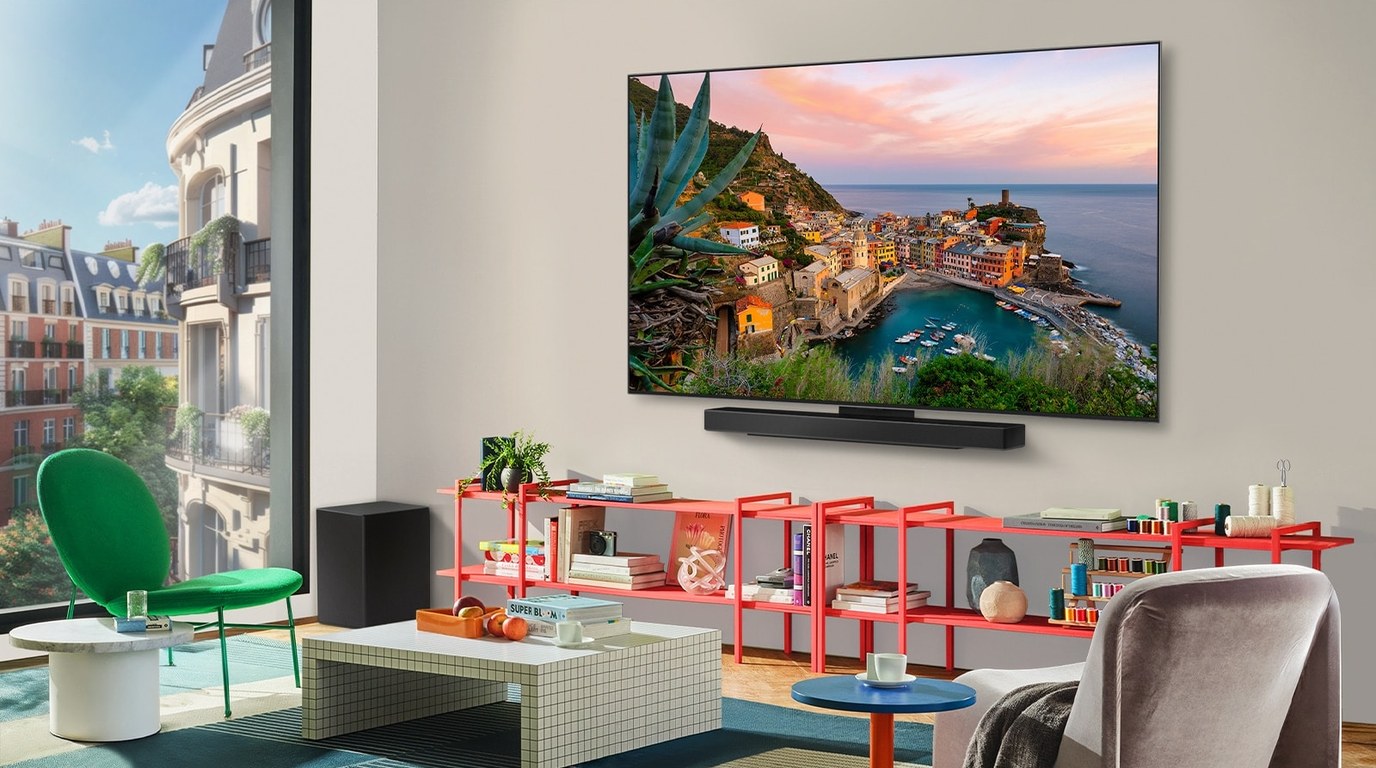
Figure 2: The LG C5 OLED, wall mounted in a living room. Photo: LG. The C5 has four HDMI 2.1 ports, so a PS5, an Xbox, a PC, and a soundbar all stay plugged in at once.
Pick 2: Samsung S95F QD-OLED, the best TV for a bright room
The Samsung S95F uses a QD-OLED panel, which pairs the per pixel blacks of OLED with the color volume of quantum dots. What Hi-Fi? measured over 2,100 nits peak brightness on it, and FlatpanelsHD measured about 5 ms input lag at 120Hz with VRR. It has four HDMI 2.1 ports, runs 4K at 120Hz on console and 165Hz on PC, and it is the brightest OLED in this guide by a clear margin.
Pick the S95F when your room has windows you cannot cover. The LG OLEDs are bright enough for a normal living room, and they lose the fight against direct sun. The S95F keeps its color and its contrast with the curtains open, and its matte Glare Free screen on the S90H, the step down model, cuts reflections further. If you play GTA 6 in the daytime, this is the OLED to buy.
Two limits matter. Samsung TVs use HDR10+ instead of Dolby Vision, so an Xbox falls back to standard HDR10 on this set. Rockstar has said nothing about Dolby Vision support in GTA 6, so this limit may never show up in this game, and it never shows up on PS5, which outputs HDR10. The second limit is price. The S95F sits in the premium band, over $1,000 for the 65 inch, and the 55 inch is the cheapest way in.
The Samsung S90H is the PS5 pick in the same line. It has the same four HDMI 2.1 ports, 4K at 120Hz, VRR, and ALLM, and its matte screen earns it the bright room vote for PS5 owners. The PS5 and PS5 Pro output HDR10, so the missing Dolby Vision costs nothing on PlayStation. If you play on PS5 and your room is bright, buy the S90H and keep the change.
Pick 3: TCL QM7L Mini LED, the best TV for GTA 6 under $1,000
The TCL QM7L is the pick most readers should buy. It is a 144Hz SQD Mini LED TV, and Tom's Guide measured 2,270 nits HDR brightness and 9.4 ms input lag on it in their lab comparison. The 65 inch sold in the $750 to $1,000 range at US stores in September and October 2026. That is the brightest HDR in this guide at half the price of the OLEDs above it.
Mini LED earns its place in Vice City in the daytime. Sun on the ocean, white sand, and chrome all need raw brightness, and the QM7L has more of it than any OLED here except the S95F. The trade is contrast. A Mini LED panel lights zones, not pixels, so a small bright sign on a black street carries a faint glow around it. In daylight you will not see it. At night, on an OLED, you would see the difference. In daylight, on this TV, you will not care.
The QM7L has four HDMI inputs, two of them at 144Hz, with VRR and ALLM. That covers a console and a soundbar with room left over. It runs Google TV, it has a 144Hz native panel, and the 55 inch costs less than the 65 inch while keeping the same panel tech. If your budget stops at $1,000, buy the 65 inch QM7L and spend the money you saved on a soundbar, because the TV speakers on every set here are the weakest part of the box.
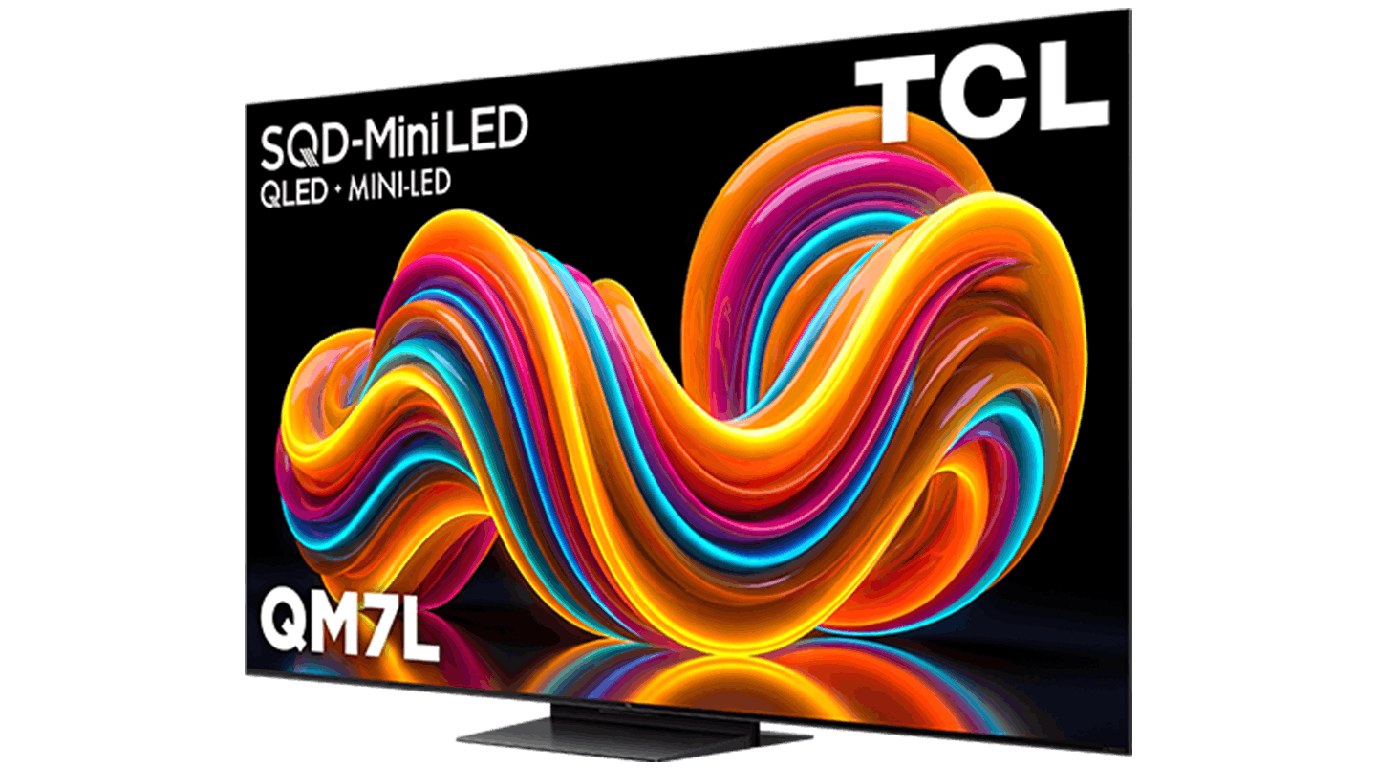
Figure 3: The TCL QM7L SQD Mini LED TV. Photo: TCL. Tom's Guide measured 2,270 nits HDR brightness and 9.4 ms input lag on this set, the best value numbers in this guide.
Pick 4 and 5: TCL QM6K and Hisense U7SG, when the budget is tight
The TCL QM6K is the cheaper Mini LED in the same line. It has two HDMI 2.1 ports, VRR, and a 144Hz native panel, with modest HDR brightness next to the QM7L. It clears the bars that matter: 4K, HDMI 2.1, VRR, ALLM, and input lag under 15 ms. It sells under $750 on sale in the US. Buy it when the QM7L is out of reach, and put the TV in a room where you can control the light, because the lower brightness shows first in a bright room.
The Hisense U7SG is the gaming spec pick in this price band. It has a native 165Hz Mini LED panel, four HDMI 2.1 inputs, VRR, and a maker claim of up to 3,000 nits peak brightness. That 3,000 nits number is a maker claim, not a lab measurement, so treat it as a ceiling, not a promise. The trade is motion. Published tests note slow pixel transitions on this set, so fast camera pans can smear where the LG OLED stays sharp. The viewing angle is narrow too, so the seat in the middle gets the best picture and the seats at the edges lose contrast.
Both budget picks beat a random 4K TV from a supermarket shelf, because both have a real Game Mode, real HDMI 2.1 ports, and VRR. A cheap 60Hz TV with a fake Game Mode costs less and plays worse, and the difference shows in the first chase. Spend the extra $100 to $200 for the QM6K over a no name 4K set. It is the cheapest money in this guide that changes what you see.
What size to buy: a worked example
Size matters more than the panel badge once you pass the $750 mark, because a 65 inch TV at the right distance fills your view in a way a 55 inch cannot. The rule is simple. Measure the distance from your eyes to the screen in metres, multiply by 25, and that gives you a rough screen size in inches for 4K. A sofa 2.4 metres from the TV points to a 60 inch screen, so buy the 65 inch. A sofa 1.8 metres away points to a 45 inch screen, so buy the 55 inch and sit a little further back.
Here is the check we ran for this guide. A 65 inch TV is 144 cm wide. At 2.4 metres, it fills about 33 degrees of your view. A 55 inch TV is 122 cm wide, and at the same distance it fills about 28 degrees. That 5 degree gap is the difference between reading a street sign in the game at a glance and leaning in to read it. GTA 6 puts a minimap, a speed readout, and mission text on the screen at once, so the bigger screen pays off in every session.
Measure your wall before you order. A 65 inch TV needs a stand at least 145 cm wide, and a wall mount needs solid fixing, not plasterboard plugs. Check the stand width on the model you buy, because the feet on the TCL QM7L sit wide apart, and a narrow stand will not hold it. Check the depth too if the TV goes in a cabinet, because a soundbar in front of the screen blocks the bottom edge on some stands.
Five settings to change on day one
A good TV ships in a slow picture mode, and the console ships with HDR set for a different screen. Change five settings before your first session, and the game will look the way the lab tests measured it.
Before you change anything, run our free TV screen test on your TV. It reads your resolution, HDR state, and refresh rate, and gives you a GTA 6 verdict in one minute. Open it in the TV browser, or cast the tab from your phone.
One, plug the console into an HDMI 2.1 port. On the LG C5 and C6, all four ports are full bandwidth, so any port works. On the TCL QM7L, use one of the two 144Hz ports. On the Sony Bravia 8 II, use HDMI 3 or 4, and remember HDMI 3 is the eARC port for a soundbar. A console in a 60Hz only port caps at 4K 60Hz, and VRR stops working.
Two, turn on Game Mode, and leave it on. On LG, it is Game Optimizer. On Samsung, it is Game Mode in the settings menu. On TCL, it is Game Mode under picture settings. Game Mode cuts input lag from 60 ms or more down to under 10 ms by turning off the processing that makes movies look smooth. That processing is the reason a TV feels late in a chase, and it is the first thing to remove.
Three, run the console HDR calibration. On PS5, go to Settings, Screen and Video, Video Output, and run Adjust HDR. Set the three screens so the sun symbol just disappears on each one. On Xbox, run the HDR Game Calibration app. This takes three minutes, and it stops the game from crushing black detail or blowing out the sky. Do it in the room light you play in, because the right setting in daylight is wrong at night.
Four, turn on VRR on the console and on the TV. On PS5, it sits under Screen and Video, Video Output, VRR. On Xbox, it sits under General, TV and display options, Video modes. On the TV, VRR lives in the Game Mode menu on LG and Samsung, and under picture settings on TCL. VRR smooths the dips below 30fps that Rockstar's own tests showed in stress scenes, including a dip to 24fps in the worst Digital Foundry stress test on PS5 Pro.
Five, set the TV to HGIG or the closest HDR tone mapping mode for games. HGIG, HDR Gaming Interest Group, tells the TV to show the signal as the console sent it, without adding its own brightness curve. On LG, it is HGIG under Game Optimizer. On Samsung, it is Game HDR with tone mapping set to the game mode. On TCL, use the game picture mode and turn off auto contrast. This one setting fixes more washed out HDR complaints than any other change.
OLED burn-in and the GTA 6 minimap
GTA 6 keeps a minimap in the same corner for hundreds of hours. That is the one real risk to an OLED panel, because a static bright image held in one place can leave a faint ghost on the screen. The risk is real, and it is small with normal use. LG, Samsung, and Sony all ship pixel shift, logo dimming, and screen refresh cycles that move the picture by a few pixels and rest the panel when the TV turns off. Leave those settings on.
Three habits cut the risk further. Turn the HUD brightness down in the game settings if the option exists. Take a break every two hours and let the TV run its short pixel refresh when you turn it off. Vary what you watch, so the TV does not show the same minimap for 8 hours a day, every day, for months. If you play GTA 6 for 6 hours a day and watch nothing else, buy the TCL QM7L Mini LED instead. Mini LED has no burn-in risk, because it uses a backlight, not per pixel light. The picture is a small step down at night, and the panel lasts without the worry.
PS5, PS5 Pro, and Xbox Series X: what changes, and what stays the same
Rockstar's 10 November 2026 post says the game targets 30fps on current consoles. On PS5 Pro, Rockstar promises a clearer image through PlayStation Spectral Super Resolution, called PSSR, and ray traced shadows that are only on PS5 Pro. Written answers from Rockstar that reached the public through a Wccftech Q&A on 18 November say the Pro upscales a 1440p base image to 4K with PSSR2, and the base PS5 and Xbox Series X scale the same 1440p base to 4K with their own temporal anti-aliasing.
Rockstar's Marc Chambers told Push Square the Pro processor is not powerful enough to run the game's simulation at higher frame rates, and no graphics mode menu has been confirmed in the released game. Digital Foundry, as reported by VGC on 18 November, calls the PS5 Pro the best way to play of the two PS5 models, with very few frame rate drops and a dip to 24fps only in the worst stress tests. The Pro gives you a sharper 30fps image with ray traced shadows. It does not give you 60fps.
The TV advice stays the same on all three consoles. PS5 and PS5 Pro output HDR10, so the Samsung Dolby Vision gap costs nothing on PlayStation. Xbox Series X outputs Dolby Vision, so the LG OLEDs keep their edge there. Xbox Series S is officially supported too, and it plays the game, with more compromises on a large 4K screen. If you own a Series S, buy the 55 inch TCL QM7L, because the console cannot fill a 65 inch screen as sharply, and the money is better spent on the game itself.
The PlayStation Store lists GTA 6 as PS5 Pro Enhanced, and Rockstar shows a Plays Best on PlayStation 5 message on the official game site. Those labels describe the Pro image work above. They do not promise a frame rate, and no store page lists a 60fps mode. Buy the Pro for the sharper image and the ray traced shadows. Buy the TV for HDR and contrast. The two purchases solve different problems.
A note for buyers in Pakistan
Prices in this guide are US sale prices, and Pakistan prices run higher after import duty and seller margin. The LG C5, Samsung S95F, and TCL QM7L all sell in Pakistan through official dealers and large electronics stores, and stock moves fast around a launch week. Check the exact model code on the box before you pay, because sellers list the C5 and the B5 side by side, and the B5 is dimmer with fewer processing features for a lower price. Check the warranty card, and check that the warranty is the local dealer warranty, not a grey import slip with no service address.
GTA 6 itself costs $79.99 for the Standard Edition and $99.99 for the Ultimate Edition on the PlayStation and Xbox stores, and the game needs up to 212 GB of free space to install, per Rockstar. Pre-load opened 10 November 2026. If you buy a PS5 in Pakistan, check the disc drive, the region, and the PSN account region together, because a mismatched region blocks some store purchases and some DLC. Our GTA 6 countdown and editions tool lists both editions side by side with prices in PKR, and our GTA 6 cheats page tracks the confirmed cheat codes, of which there are zero so far.
Frequently asked questions
What is the best TV for GTA 6?
The LG C5 or C6 OLED in 65 inch is the best overall pick, with four HDMI 2.1 ports, 9.1 ms input lag on the C6 in Tom's Guide tests, and perfect blacks for night driving. The TCL QM7L in 65 inch is the best pick under $1,000, with 2,270 nits HDR brightness and 9.4 ms input lag in the same lab tests.
Does GTA 6 run at 120fps?
No confirmed 120fps mode exists, and no 60fps mode has been confirmed either. Rockstar said in its 10 November 2026 post that the game targets 30fps on current consoles. The PS5 Pro uses PSSR to upscale a 1440p base image to 4K, with ray traced shadows only on Pro, and it still targets 30fps.
Do I need a new TV for GTA 6?
Keep your TV if it is a 4K set from the last five years with a working Game Mode, an HDMI 2.1 port, and VRR. Buy a new TV if yours is 60Hz only, if it has no Game Mode, or if its HDR is dim enough that night scenes turn grey. A new TV changes the picture. It does not change the frame rate.
Is OLED or Mini LED better for GTA 6?
OLED wins on contrast at night, because each pixel turns off on its own. Mini LED wins on brightness in daylight, because the backlight pushes past 2,000 nits. A dark room takes OLED. A bright room takes Mini LED or the Samsung S95F QD-OLED, which does both at a premium price.
Will GTA 6 burn in my OLED?
The minimap sits in one corner for hundreds of hours, so the risk is real and small. Leave pixel shift and logo dimming on, turn the HUD brightness down if the game allows it, and vary what you watch. If you play 6 hours a day and watch nothing else, buy the TCL QM7L Mini LED, which has no burn-in risk.
Is GTA 6 on PC?
No PC version has been announced, and Rockstar has given no PC date. GTA 5 took 18 months to reach PC after consoles, and Red Dead Redemption 2 took about 12 months. A GTA 6 PC version in 12 to 18 months is a guess based on that pattern, not a date from Rockstar.
Sources and how we checked this
Rockstar Games, Newswire, 10 November 2026, on the 30fps target, PSSR, and ray traced shadows on PS5 Pro. Rockstar written answers via the Wccftech Q&A, 18 November 2026, on PSSR2 upscaling from a 1440p base to 4K. Marc Chambers of Rockstar to Push Square, November 2026, on the Pro processor and frame rates. Digital Foundry analysis via VGC, 18 November 2026, on PS5 Pro frame rate in stress tests. Tom's Guide lab tests on the LG C6, TCL QM7L, and Hisense U7SG for HDR brightness and input lag. FlatpanelsHD lab tests on the LG C5 and Samsung S95F for input lag. What Hi-Fi? tests on the Samsung S95F for peak brightness. RTINGS tests on the LG B5 and C5 class. Prices are US sale prices seen in September and October 2026, and they move. We did not test these TVs in our own lab. Every lab number in this guide names the lab that measured it.
GTA 6 launched 19 November 2026. If Rockstar adds a performance mode later, this guide will need a new table, because the frame rate target is the fact the whole pick rests on. Until then, buy the TV for the game that exists, not the mode that might arrive.
More from the Blog
The Abundance Lie: Four Billionaires Promise You Free Everything While Building the Machines That Will Own You
HSC Physics Formula Sheet: Every Formula by Module, With Worked Examples
Front Yard Landscaping Ideas and Cost in Australia: A Worked Example for a 60 m2 Yard


Was this article helpful?
Comments
Loading comments...