Why beautified screenshots get read and plain ones get skipped
TL;DR
Make screenshots post-ready: gradient backdrops, padding, rounded corners, soft shadows and an optional browser frame. Free, in your browser, no upload.
Table of Contents
A post-ready screenshot in 30 seconds
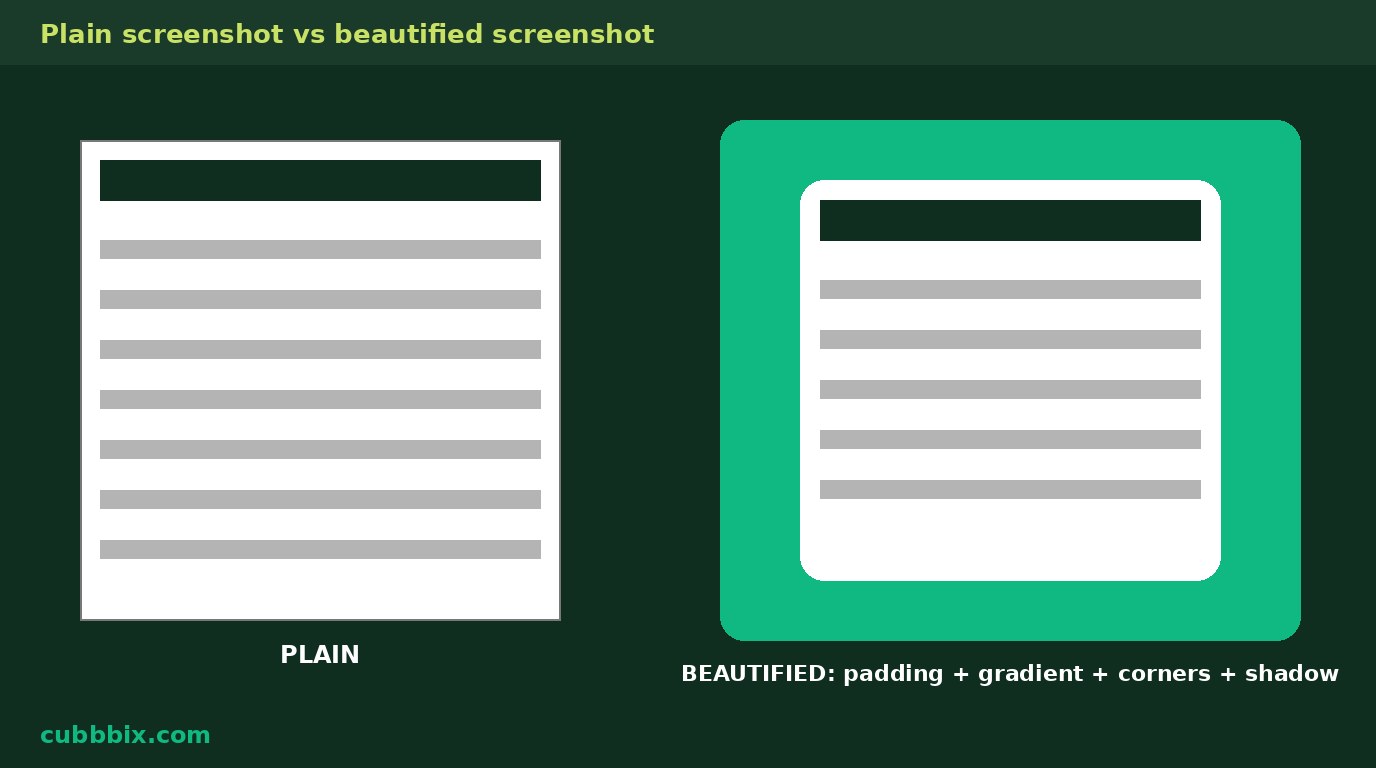
A raw screenshot is a rectangle of small text jammed against the edge of a feed card, and the eye slides past it. Padding gives the shot breathing room, a backdrop gives it a boundary the feed background does not have, rounded corners soften the rectangle, and a soft shadow lifts it off the page. None of that changes the content. It changes whether anyone stops long enough to read it, which is the whole job of a screenshot in a post, a tutorial, or a changelog. The free Cubbbix Screenshot Beautifier does all four in your browser, with nothing uploaded.
The defaults are a worked example, not guesses. A 1280 by 720 screenshot with 80 pixels of padding becomes 1440 by 880, because padding is added on all four sides: width grows by twice the padding, and height grows by twice the padding. Add the browser frame and the height becomes 928, because the frame bar is 48 pixels tall. The output PNG keeps every pixel of the original shot. Padding is added, never taken from the shot, so nothing in the screenshot is cropped to make room for the frame.
Figure 1: Same screenshot, twice. Left, raw against the page. Right, with padding, a gradient backdrop, rounded corners and a shadow. The content did not change; the chance anyone reads it did.
Pick a backdrop that does not fight the shot
A dark shot on a dark backdrop disappears at the edges, and a light shot on a white backdrop does the same. The gradient presets run dark to bright so the shot has contrast on at least one side, and the custom colours let you match a brand: the gradient runs from the first colour at the top left to the second at the bottom right. The rule of thumb is one line: if the shot is mostly white, pick a dark backdrop; if it is a dark-mode screen, pick a light one. A backdrop that matches the shot's own background is not a backdrop, it is camouflage.
Corner radius has a hard limit that the page enforces: it is clamped to half the shorter side of the shot. A radius above that would cut into the content, so the page stops it. Shadow strength is a blur radius in pixels: 40 gives a soft lift, 0 gives a flat card, and above 120 the shadow starts to look like fog. The browser frame adds a 48 pixel bar with three dots and address text you type. It suits web pages and looks wrong on phone shots, so it is off by default, and the address text is typed by you: it proves nothing about the site shown, and the page does not pretend otherwise.
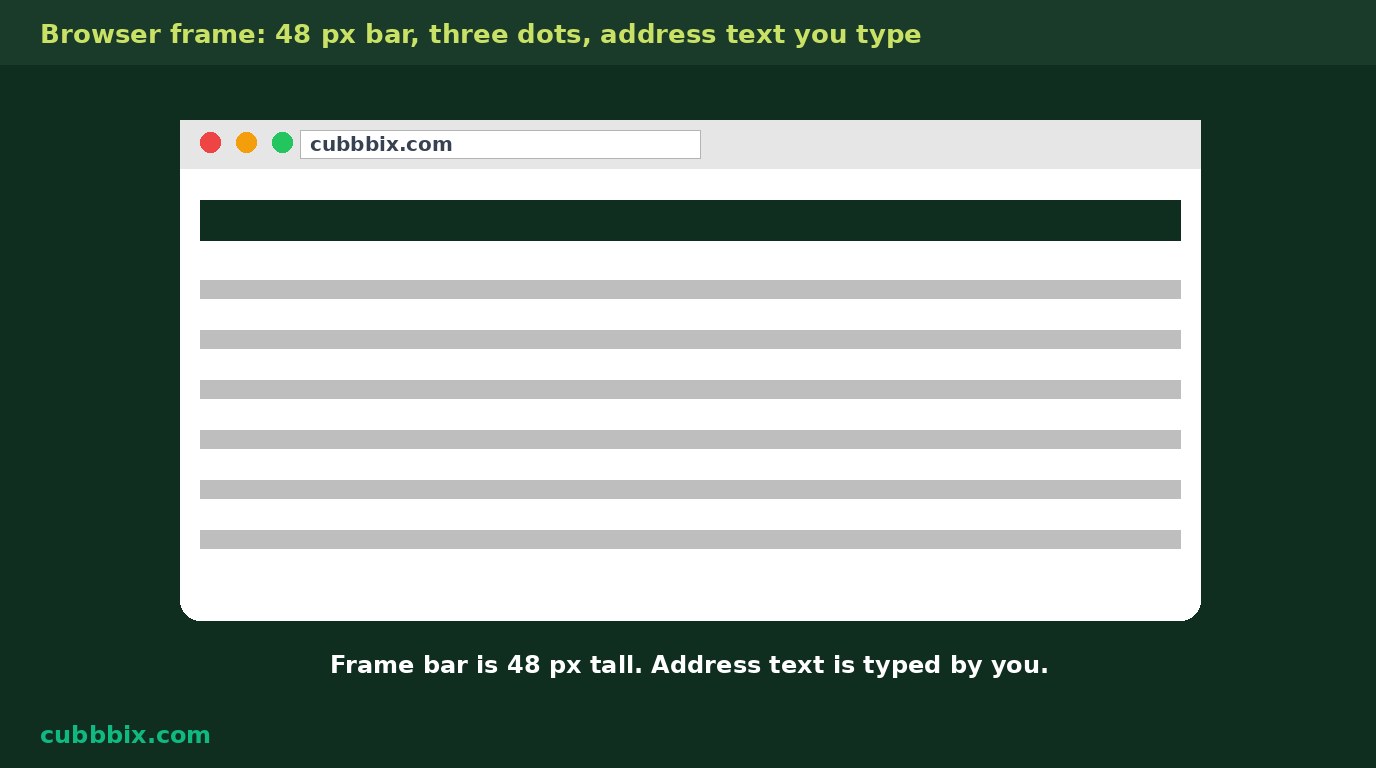
Figure 2: The browser frame is a 48 pixel bar with three dots and address text you type. It suits web pages, not phone shots, and it is decoration, not proof.
What beautifying cannot fix
A backdrop, rounded corners and a shadow make a screenshot easier to read in a feed, but they do not make a blurry or low-resolution shot sharp, and they cannot fix text that was already too small to read. Shrinking a screenshot to fit a small canvas throws away detail you cannot get back, so export at the original pixel size or larger padding only. If the shot is unreadable at full size, retake it at a higher resolution or zoom the page before capturing, instead of dressing up a shot nobody can read.
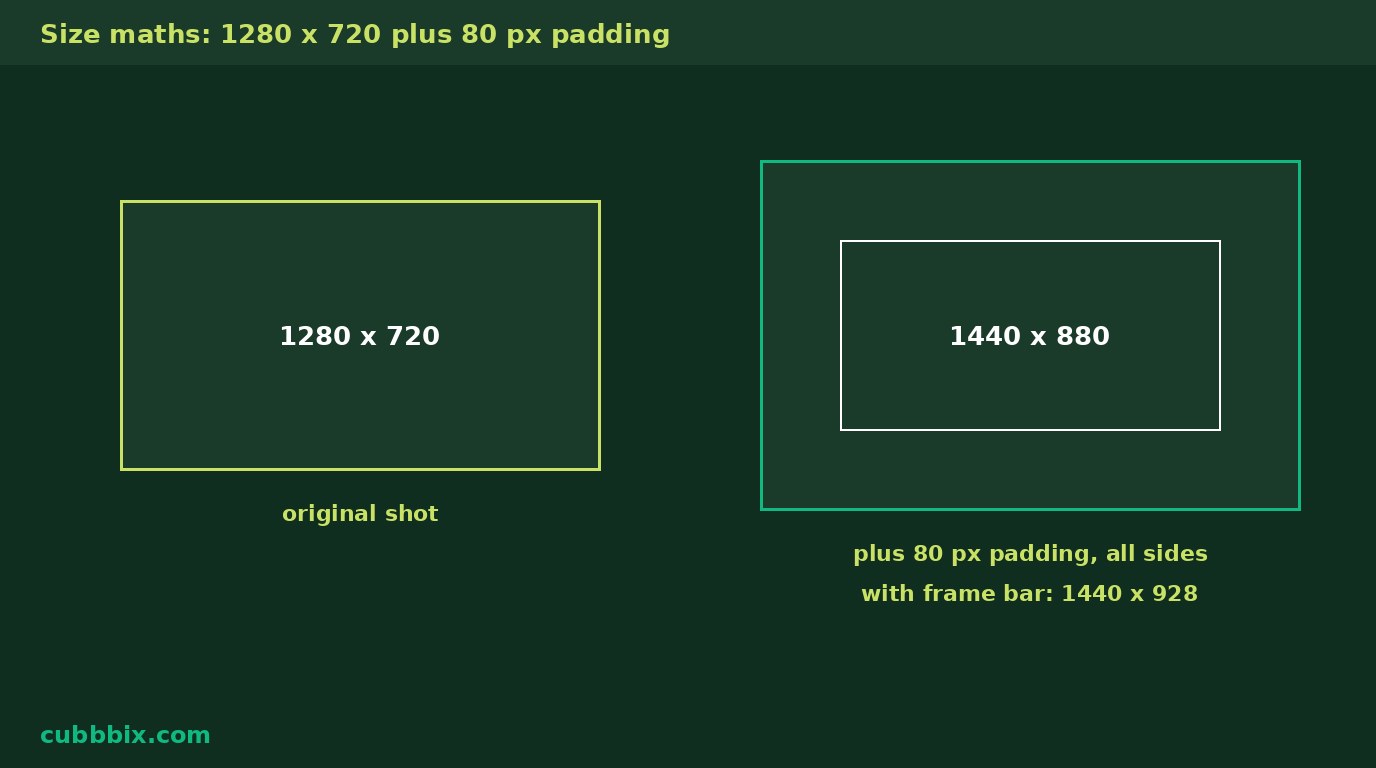
Figure 3: Size maths for a 1280 by 720 shot. Padding of 80 adds 160 to each side. The browser bar adds 48 to the height only.
Questions people ask
Will it make a blurry screenshot sharp?
No. Backdrops, corners and shadows change presentation, not resolution. A blurry shot stays blurry, and shrinking a shot throws away detail you cannot get back.
Is the browser frame real?
No. It is decoration: three dots and address text you type yourself. It proves nothing about the site shown.
Is my screenshot uploaded anywhere?
No. Everything runs in your browser. Nothing leaves your device, and the original file is never changed.


Was this article helpful?
Comments
Loading comments...