WhatsApp Message Ticks and Symbols: What Each One Actually Means

TL;DR
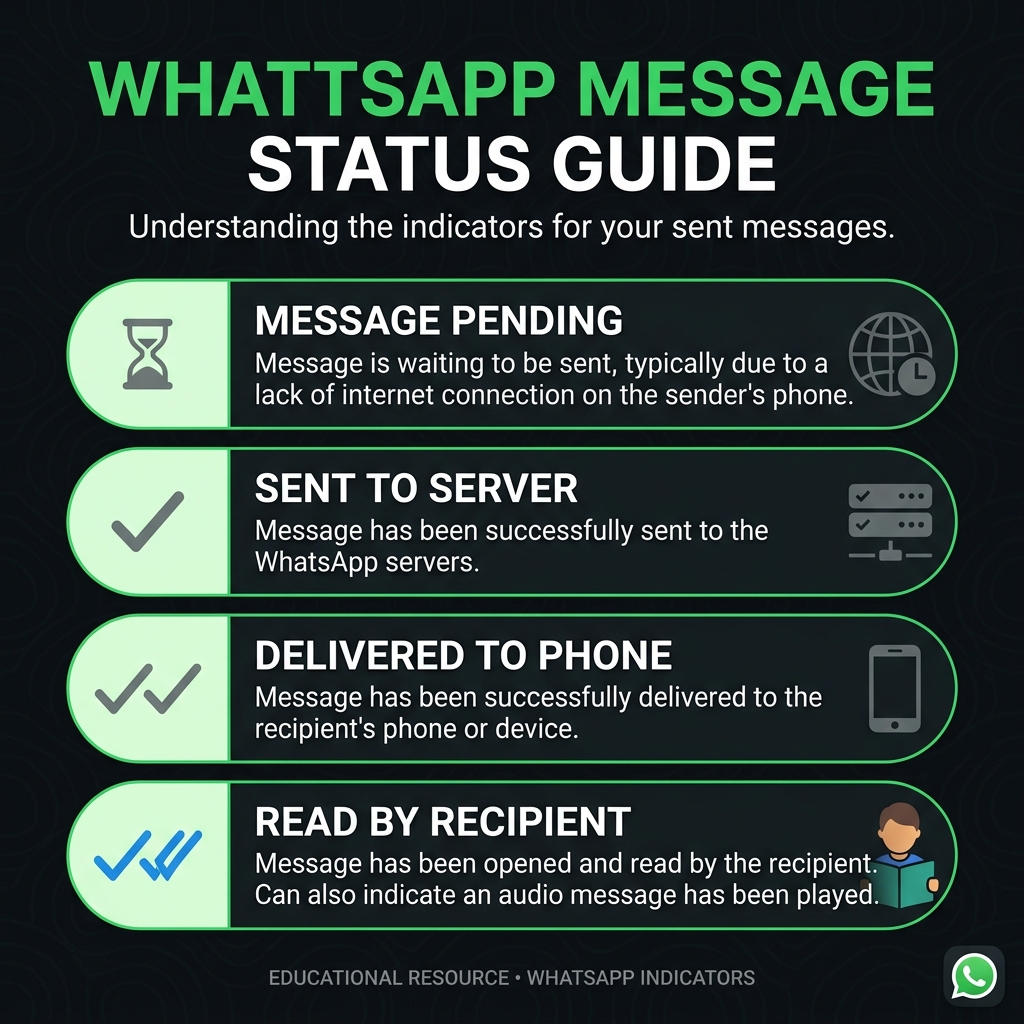
WhatsApp uses 4 icons to show where your message is: a clock, a single gray tick, double gray ticks, and double blue ticks. Each means something different. Here is the complete, accurate guide.
Table of Contents
WhatsApp uses 4 distinct icons to tell you where your message is. Each one means something specific. Here is exactly what they are.
The 4 message status icons
Every message you send goes through a sequence: queued on your device, sent to the server, delivered to the recipient's phone, and then read. WhatsApp shows a small icon next to each message to tell you which stage it is at.
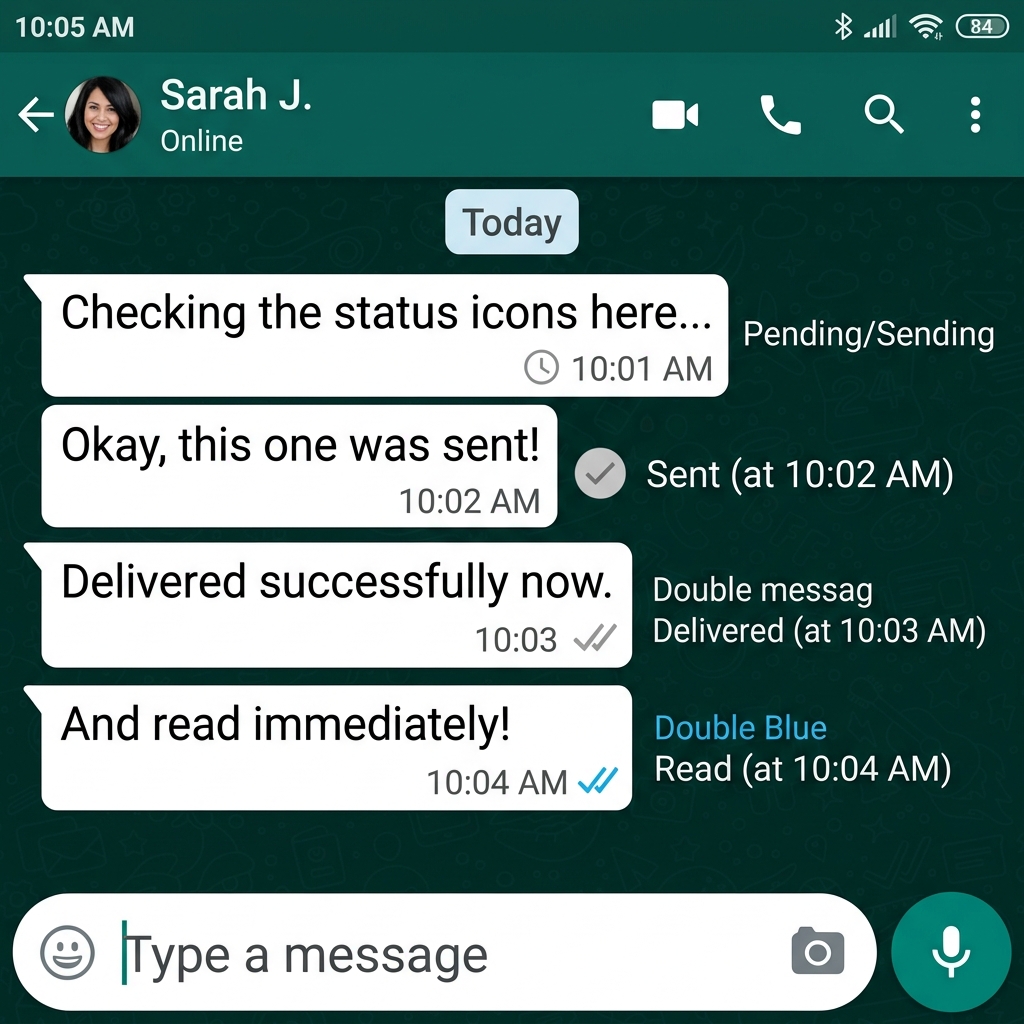
- Clock icon. The message has not left your device yet. This appears when you have no internet connection. WhatsApp holds the message in a queue and sends it automatically when connectivity returns.
- Single gray tick (checkmark). The message has been uploaded to WhatsApp's servers. The recipient's device has not yet received it, either because their phone is off, they have no connection, or the delivery is pending.
- Double gray ticks. The message has been delivered to the recipient's phone or to one of their linked devices (such as WhatsApp Web or WhatsApp Desktop). They have not opened the chat yet.
- Double blue ticks. The recipient has opened the chat and your message was visible on screen. This is the official WhatsApp "read" confirmation.
Read receipts and privacy settings
WhatsApp lets users turn off read receipts in Settings > Privacy > Read Receipts. When someone has disabled read receipts, your ticks will stop at double gray even after they read your message. You won't see double blue, and they won't see double blue on your messages either.
The exception is voice messages. Even with read receipts disabled, voice message ticks turn blue when someone plays the audio. This is a known and intentional behavior confirmed in WhatsApp's official FAQ.
How ticks work in group chats
Group chats use the same icons but with different rules:
- Double gray ticks appear only when the message has been delivered to every participant in the group.
- Double blue ticks appear only when every participant has opened and read the message.
- You can tap and hold any message, then tap the Info icon (i) to see exactly who has read it and at what time.
A single gray tick doesn't mean you're blocked
A stuck single tick has several possible causes. Before assuming you've been blocked, check these:
- The recipient's phone is off or has a flat battery.
- They have no Wi-Fi or mobile data.
- Their phone has been in airplane mode.
- WhatsApp is uninstalled or they haven't opened the app in a long time.
If you are blocked, the tick stays single gray indefinitely. But a single tick alone is not conclusive evidence of being blocked.
Voice message status icons
For voice messages, WhatsApp adds a microphone icon indicator. A gray microphone means the voice note has been delivered but not played. It turns blue when the recipient plays it. This change happens regardless of their read receipt settings.
References
- WhatsApp Official FAQ — "Checking read receipts." WhatsApp Help Center.
faq.whatsapp.com/1376826196167885 - WhatsApp Official FAQ — "About read receipts for voice messages." WhatsApp Help Center.
faq.whatsapp.com/general/chats/about-read-receipts


Was this article helpful?
Comments
Loading comments...