The Definitive Guide: How to Instantly Convert Any Webpage to Markdown

TL;DR
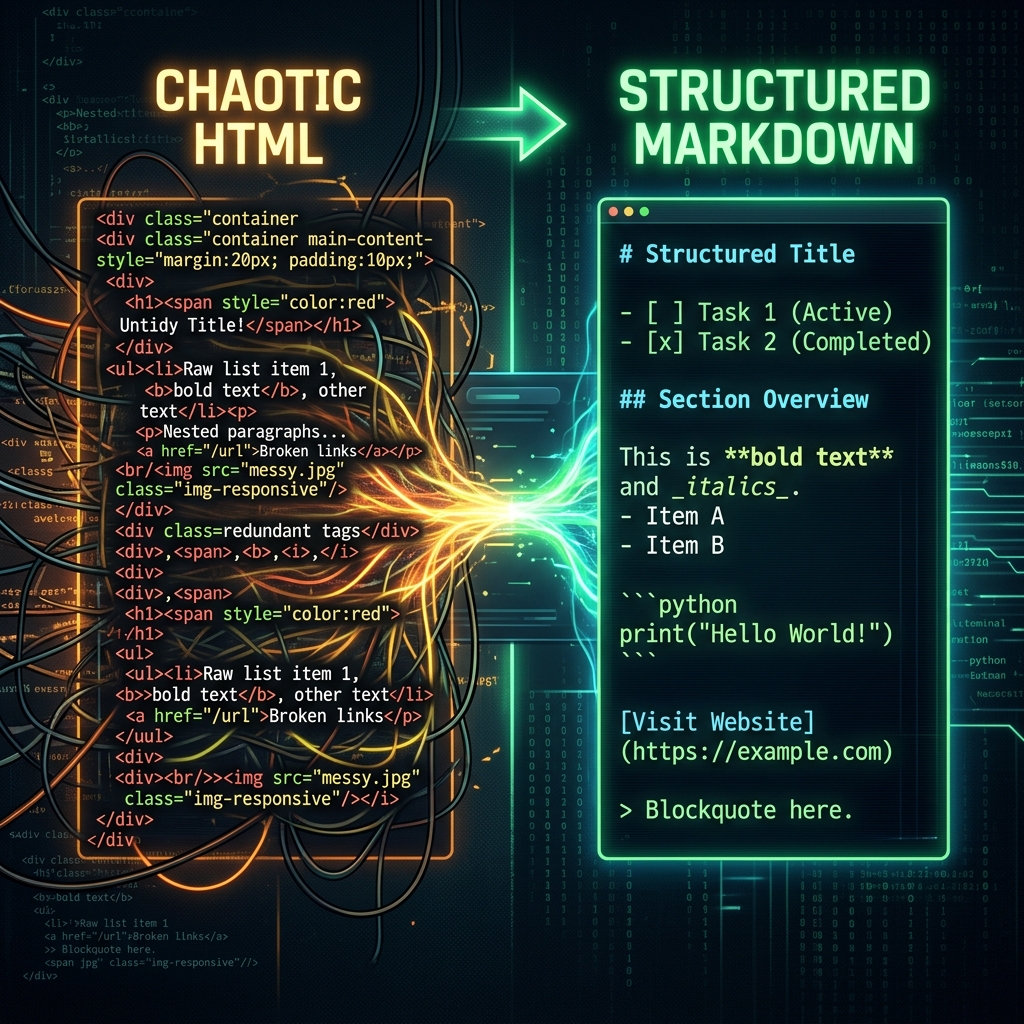
Tired of bloated PDFs and messy copy-pastes? Learn how to seamlessly transform any source web page into clean, structured Markdown using our free converter tool, and dive deep into how DOM parsing works.
Table of Contents
We have all been there. You find a phenomenal long-form article, a deep-dive tutorial, or a set of technical documentation that you absolutely need to save to your personal knowledge base. You try saving it as a PDF or copying and pasting the text. The results? Messy.
If you try copying text from a modern website directly into your notes, you end up dragging along messy table formatting, invisible tracking pixels, intrusive ad breakpoints, and broken image containers. Saving the page as a PDF locks the text into an uneditable, non-responsive monolith that you can barely read on a mobile device.
This is exactly why the tech world shifted away from bloated HTML structures and WYSIWYG editors towards something much purer: Markdown. Today, we are going to explore why you should convert your favorite web content into Markdown, the history behind this lightweight markup language, the deep technical magic of how a webpage to markdown parser actually strips the junk out of the web, and how you can use our 100% free tool to do this instantly.
1. The Rise of Markdown: Why We Needed a Better Way to Write
To understand the power of a markdown converter, we must first look at why Markdown was invented. In 2004, John Gruber and Aaron Swartz created Markdown with a single, crucial philosophy: "A Markdown-formatted document should be publishable as-is, as plain text, without looking like it's been marked up with tags or formatting instructions."
HTML is designed to be read by machines. It is full of <div>, <span>, and <a href="..."> tags that create visual noise for the human writing it. Markdown replaced these with intuitive symbols. A single asterisk * makes text italic. Two asterisks ** make it bold. A hash symbol # creates a header. It is so simple that you can type it without ever taking your hands off the keyboard.
Over the last decade, Markdown exploded in popularity. Platforms like GitHub made it the standard for their READ ME files. Reddit adopted it for user comments. Today, Personal Knowledge Management (PKM) tools like Obsidian, Roam Research, and Notion are entirely built around Markdown-first philosophies.
The Problem with Clipping the Web
Since Markdown is the gold standard for taking notes, how do you get internet articles into Markdown? Browsers natively consume and render HTML. They do not natively let you export an article as a `.md` file.
Historically, users relied on massive browser extensions like Evernote Web Clipper or OneNote. But these tools sync to proprietary ecosystems. If you wanted local ownership of your files, you had to manually scrape the text or use heavy command-line developer tools. That friction is exactly why building a reliable, one-click url markdown tool has become so critical for developers, students, and researchers alike.
2. The Technical Blueprint: Extracting the "Meat" of a Webpage
So, how does one actually convert to markdown programmatically? The process is a fascinating exercise in DOM traversal and heuristic analysis. When you feed a source web page into our converter, three distinct phases occur in milliseconds:
Phase A: The CORS Proxy & HTML Fetching
Browsers have a strict security policy called CORS (Cross-Origin Resource Sharing). This prevents a script on cubbbix.com from blindly fetching the raw HTML of wikipedia.org directly from your browser. To bypass this safely, the URL is sent to a localized proxy. Our PHP backend securely executes a cURL request pretending to be a standard browser, downloads the HTML document as a raw string, and hands it back to your local client.
Phase B: The Mozilla Readability Engine
If you were to convert the entire HTML string into Markdown immediately, you would end up with thousands of lines of useless links—headers, privacy policies, sidebars, cookie banners, and navigation menus. You need a way to isolate the article.
Enter @mozilla/readability. This open-source engine is the exact same technology that powers the "Reader View" icon in Firefox and Safari. When we pass the raw HTML into Readability, it creates a virtual DOM (Document Object Model) and assigns a "score" to every block of text.
- Blocks containing many commas and standard sentence lengths score highly (likely article text).
- Blocks with lots of
<a>anchor tags and short words score poorly (likely a menu). - Elements with class names like "sidebar", "ad", or "promo" are aggressively penalized.
Readability strips out the low-scoring elements and returns a perfectly sanitized HTML string containing just the title, the main body text, lists, and core images.
Phase C: The Turndown Conversion
With a sanitized HTML string in hand, the final step relies on the fantastic turndown.js library. Turndown walks through the stripped HTML node by node and replaces tags with their Markdown equivalents:
<strong>Bold</strong> --> **Bold**
<a href="url">Link</a> --> [Link](url)
<img src="image.jpg" alt="alt"> --> 
This entire pipeline happens instantaneously inside your browser's memory, ensuring incredible speed.
3. The Limitations: Why Some Websites Defy Extraction
While our webpage to markdown workflow is incredibly robust, you may eventually hit a website that returns a failure message or empty blocks. It is important to know why this happens.
Single Page Applications (SPAs): If a website is built heavily with React, Vue, or Angular without Server-Side Rendering (SSR), the initial HTML payload sent to our proxy is almost empty. The content is meant to be loaded by JavaScript after the page mounts. Because our proxy is a lightweight HTTP grabber rather than a headless browser (like Puppeteer), it cannot execute Javascript, meaning it only sees the empty shell.
Paywalls and Anti-Bot Protection: Sites like Medium, the New York Times, or enterprise platforms utilize aggressive firewall solutions (like Cloudflare) that block automated scripts. If they detect our proxy, they return a 403 Forbidden error instead of the article.
For the absolute best results, use the tool on standard content-heavy sites: personal blogs, documentation portals, news outlets, and encyclopedias.
4. Privacy, Performance, and Ethics
In the modern internet era, tools that ask for URLs can be invasive. Some platforms use the URLs you submit to build telemetry profiles or scrape the data for AI training sets.
At Cubbbix, we adhere strictly to a heavily privacy-first ethic. Our markdown converter uses the backend proxy solely as a temporary tunnel. Your submitted URLs are not logged, the HTML data is not stored in our databases, and the actual parsing (Readability & Turndown) executes 100% locally on your machine via JavaScript. Once you close the tab, the data is gone forever.
5. How to Maximize the Cubbbix URL to Markdown Tool
Are you ready to streamline your digital archiving? Here is how to get the most out of our newly launched feature.
- Find your target: Navigate to the source web page you wish to archive and copy the URL.
- Paste and Configure: Head over to our URL to Markdown Converter.
- Utilize the Filters: If you are looking for a pure reading experience without hyper-links distracting you, tick the Ignore Links checkbox. If you only want the text and want to drop all headers/footers, ensure Clean / Filter remains checked.
- Convert and Copy: Hit convert! In less than a second, your perfectly formatted Markdown will be generated. Use the convenient copy button and paste it directly into Obsidian, GitHub, or Notion.
Stop struggling with unreadable PDFs and messy highlight drags. Take control of the information you consume by moving it into a syntax that you actually own. Try the tool today, entirely for free, and completely within your browser.


Was this article helpful?
Comments
Loading comments...