Paste Markdown: convert Word or web text to clean Markdown

TL;DR
Paste formatted text from Word, Google Docs or a web page and get clean Markdown: headings, bold, italic, lists, links, quotes, code blocks and tables, all in your browser.
Table of Contents
Paste to Markdown in 30 seconds
Open Cubbbix Paste Markdown.
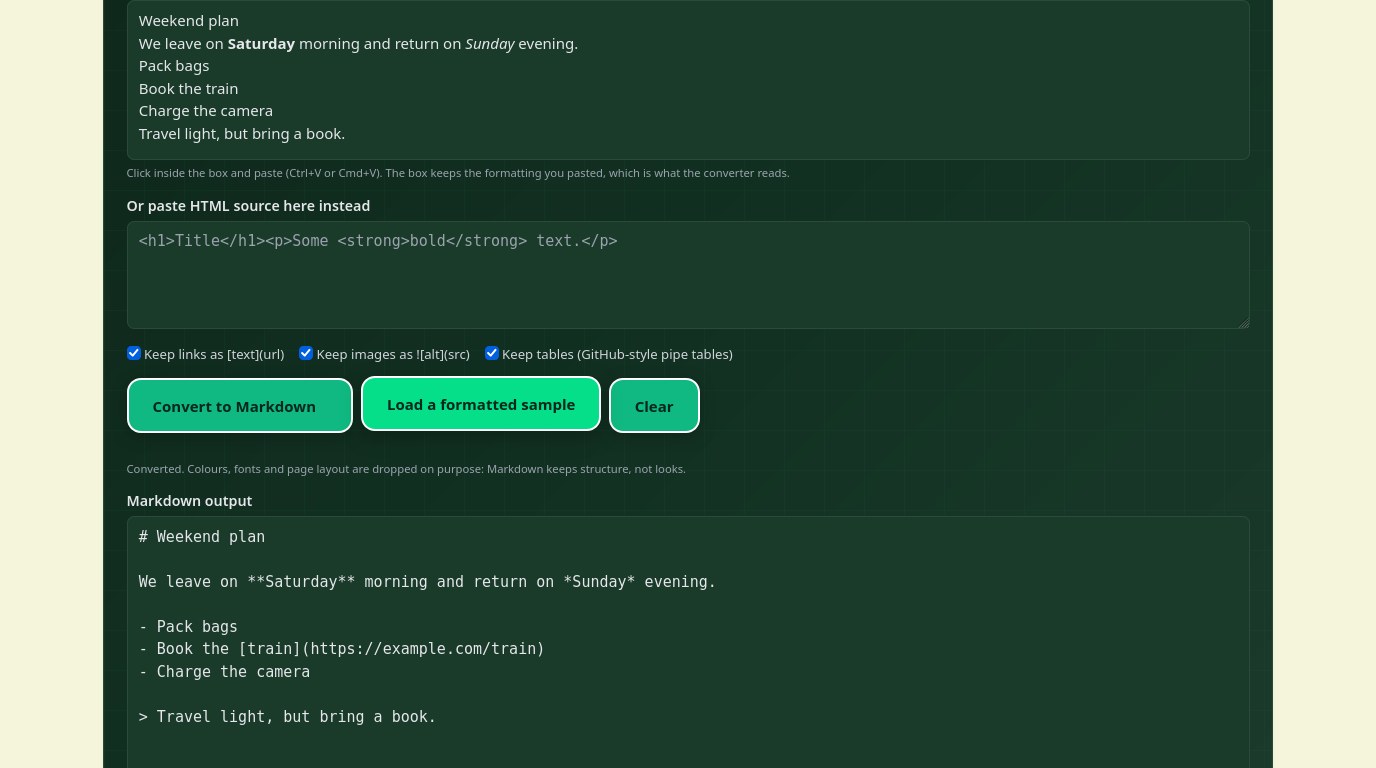
You have a formatted document in Word or on a web page, and you need it as Markdown for GitHub, a notes app or a static site. Copying it into a plain text box loses the formatting before any converter sees it. The free Cubbbix Paste Markdown tool takes a direct paste instead: click inside the editable paste box, paste with Ctrl+V or Cmd+V, and press Convert. Headings, bold, italic, lists, links, quotes, code blocks and tables come out as clean Markdown, and nothing is uploaded.
Markdown is a plain text format for writing structured documents, based on the conventions of plain-text email. John Gruber released the first version in 2004, and the CommonMark spec, version 0.31.2 from 2024, standardised the core syntax. Headings in that core are ATX headings, one to six hash signs followed by a space. Bold is double asterisks, italic is a single asterisk, a link is bracketed text followed by its address in parentheses, and a list item is a hyphen or a number followed by a space. The tool writes exactly that core, so the output renders in GitHub, GitLab, Obsidian, VS Code and most editors without surprises.
Figure 1: Paste formatted text in, get clean Markdown out, with structure kept and looks dropped.
Tables are the one exception
The original Markdown had no tables, and CommonMark does not define them either. The pipe table the tool writes, a header row, a row of hyphens, then data rows, is the GitHub Flavored Markdown extension, and it is the form GitHub, GitLab and Obsidian accept. If your target is a strict CommonMark parser, turn the tables option off and the tool writes each row as plain text instead. Merged cells are simplified: the text repeats in each column the cell spans, because Markdown has no merge. Footnotes become plain text for the same reason.
Images need the same honesty. An image becomes an exclamation mark, bracketed alt text and the address in parentheses, and the image itself is not uploaded or embedded. The Markdown points at the original address, so it only shows where that address is reachable. An image with no alt text gets empty brackets, which is worth fixing before you publish: alt text is what a screen reader reads, and what a search engine indexes.
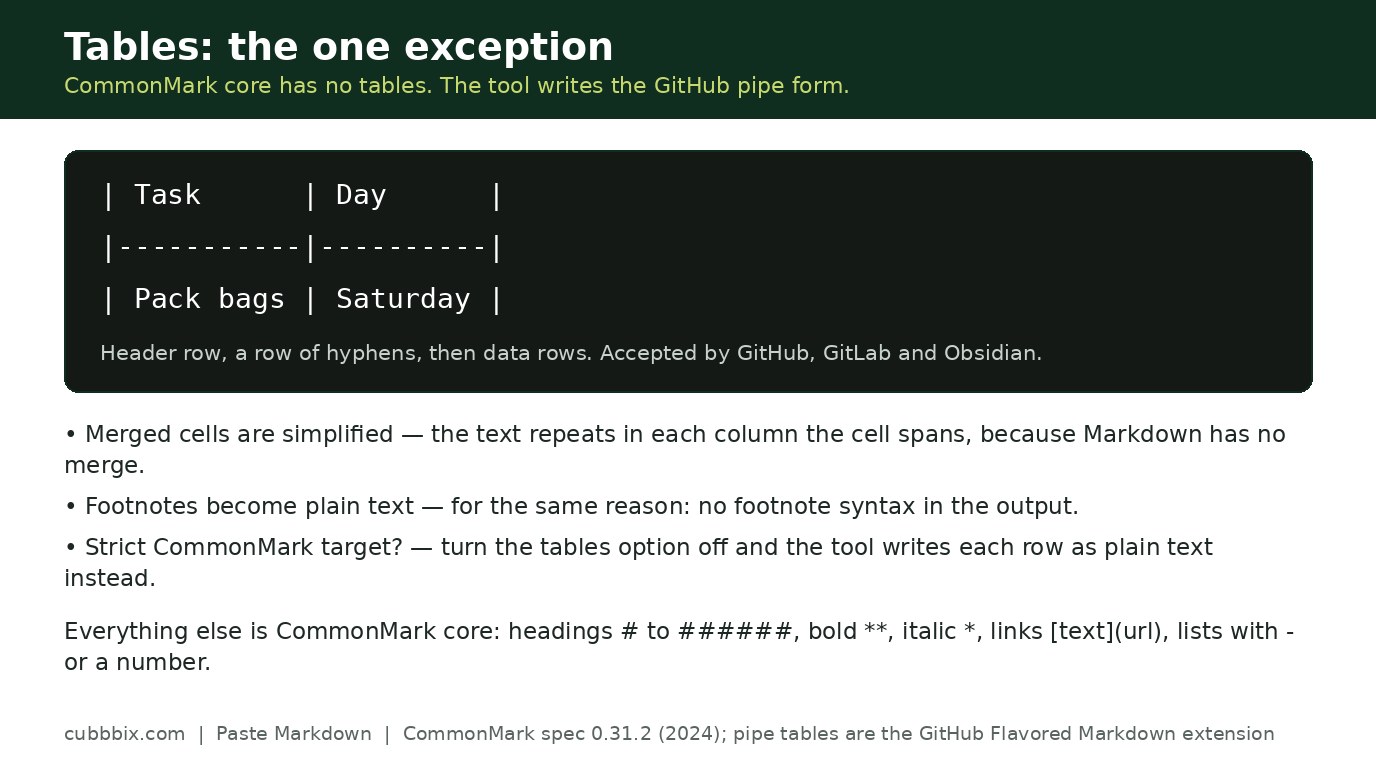
Figure 2: Tables use the GitHub pipe form. A strict CommonMark parser will not render them.
When a paste comes out flat
If the output is one flat paragraph, the source app pasted plain text only, and no converter can recover formatting that was never in the clipboard. Copy from the source app again, and paste into the editable box, not into a plain textarea. If that still fails, export the document as HTML and paste the source into the second box on the tool page: the same converter runs over it. A list built with spaces instead of real bullets has no nesting to convert, and a nested list that comes out flat usually means the source flattened it in the clipboard, not that the converter missed it.
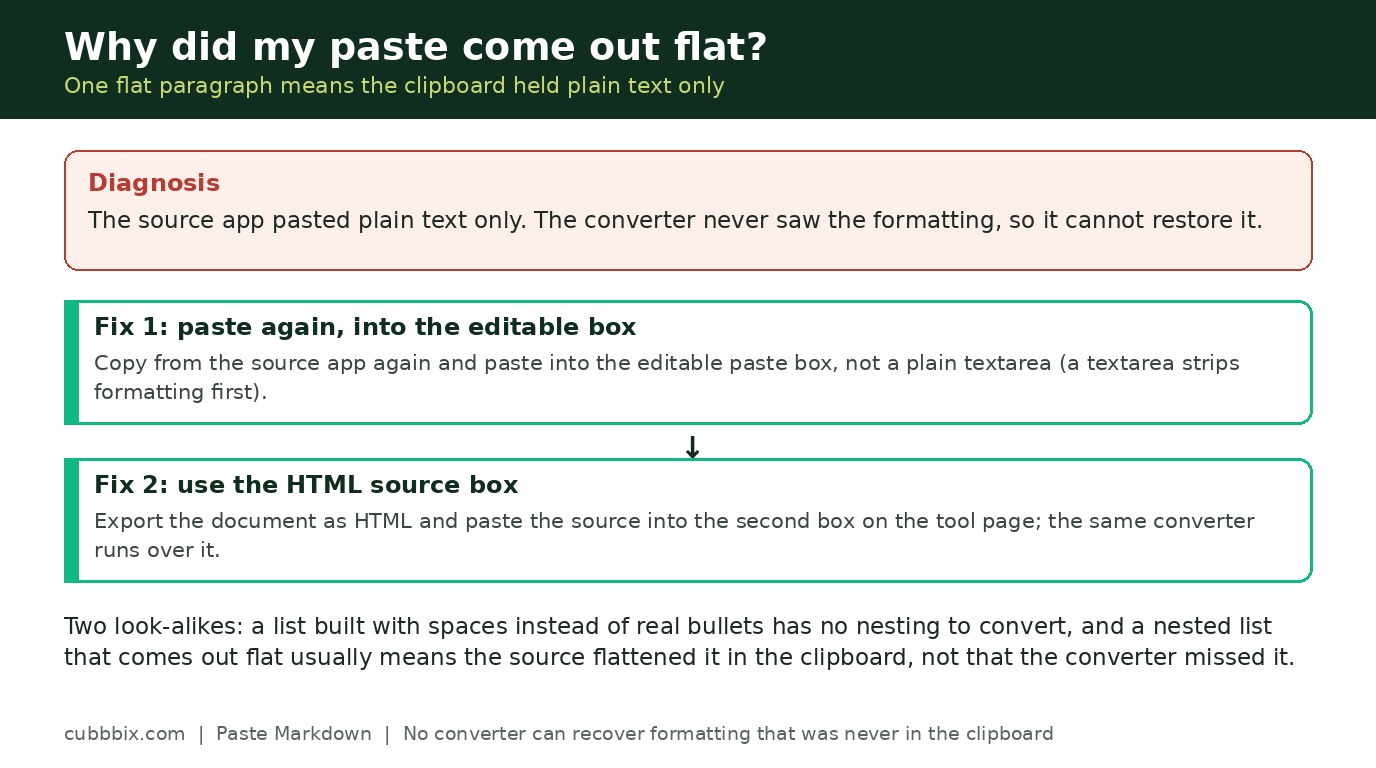
Figure 3: A flat paste means the clipboard held plain text only. Paste again into the editable box, or use the HTML source box.
Questions people ask
What Markdown flavour does the output use?
CommonMark core for headings, bold, italic, lists, links, quotes and code, following the CommonMark spec version 0.31.2. Tables are the GitHub Flavored Markdown extension, not part of CommonMark core.
Why did my colours and fonts disappear?
Markdown has no fonts, colours or column widths, so those are dropped on purpose. The output keeps structure: headings, emphasis, lists, links and tables.
Does this tool upload my document?
No. The paste box, the conversion and the output all run in your browser. Nothing is sent to a server.


Was this article helpful?
Comments
Loading comments...