Excel to CSV or JSON: extract tables from an XLSX spreadsheet

TL;DR
Extract data tables out of an .xlsx spreadsheet privately: pick a sheet, preview it, and download CSV or JSON. Nothing is uploaded.
Table of Contents
Excel to CSV or JSON in 30 seconds
You have a spreadsheet and you need its tables somewhere else: a CSV for another system, a JSON file for a developer, or a clean table to inspect. The free Cubbbix Excel to CSV / JSON tool takes an .xlsx file, unzips it in your browser, follows the workbook links to each sheet, resolves the shared strings, and gives you a preview plus a CSV or JSON download. Nothing is uploaded, which matters when the workbook holds payroll, prices or customer lists.
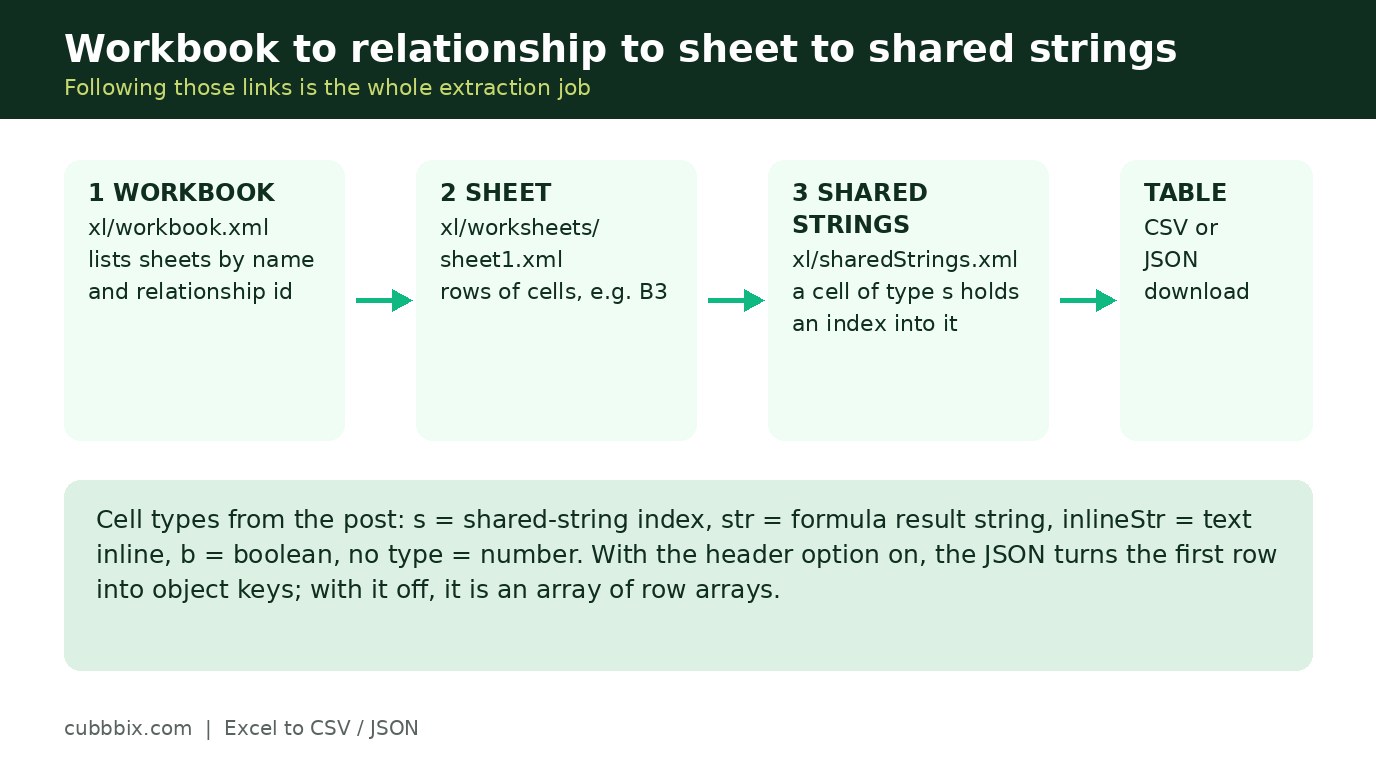
An .xlsx file is a ZIP archive of XML parts under Office Open XML (ECMA-376, ISO/IEC 29500). The workbook part, xl/workbook.xml, lists the sheets by name and by relationship id. The workbook relationships part maps each id to a sheet part such as xl/worksheets/sheet1.xml. Each sheet part holds rows of cells, and each cell carries a reference such as B3 and a type: a cell with type s holds an index into xl/sharedStrings.xml, where the actual text sits once, shared by every cell that uses it; a cell with type str holds a formula result string; a cell with type inlineStr holds its text inline; a cell with type b holds a boolean; and a cell with no type holds a number. Following those links is the whole extraction job.
Figure 1: Workbook to relationship to sheet, and sheet to shared strings. That chain is the whole extraction.
Why dates show as numbers
Excel stores dates as serial numbers, days since 1899-12-30 for serials of 60 and above, a legacy of the Lotus 1-2-3 decision to treat 1900 as a leap year, which Excel kept for compatibility. A cell that shows 1 January 2025 in Excel therefore stores 45658, and only the style table says to display it as a date. This tool reads values, not styles, so it shows the serial, and the page carries a small helper that converts a serial to a calendar date, with the pre-March-1900 adjustment. The same honesty applies to formulas: the tool shows the last calculated value stored in the file, so a file saved without calculated values shows a blank for that cell. Open it in Excel or LibreOffice, let it recalculate, save it, and extract again.
The CSV download follows RFC 4180, the plain rule that keeps spreadsheets intact: a field that contains a comma, a quote or a line break is wrapped in double quotes, and a double quote inside a field is doubled. A reader that splits every line at every comma would break on a name or address with a comma in it. With the header option on, the JSON download turns the first row into object keys and each later row into one object; with it off, the JSON is an array of row arrays.
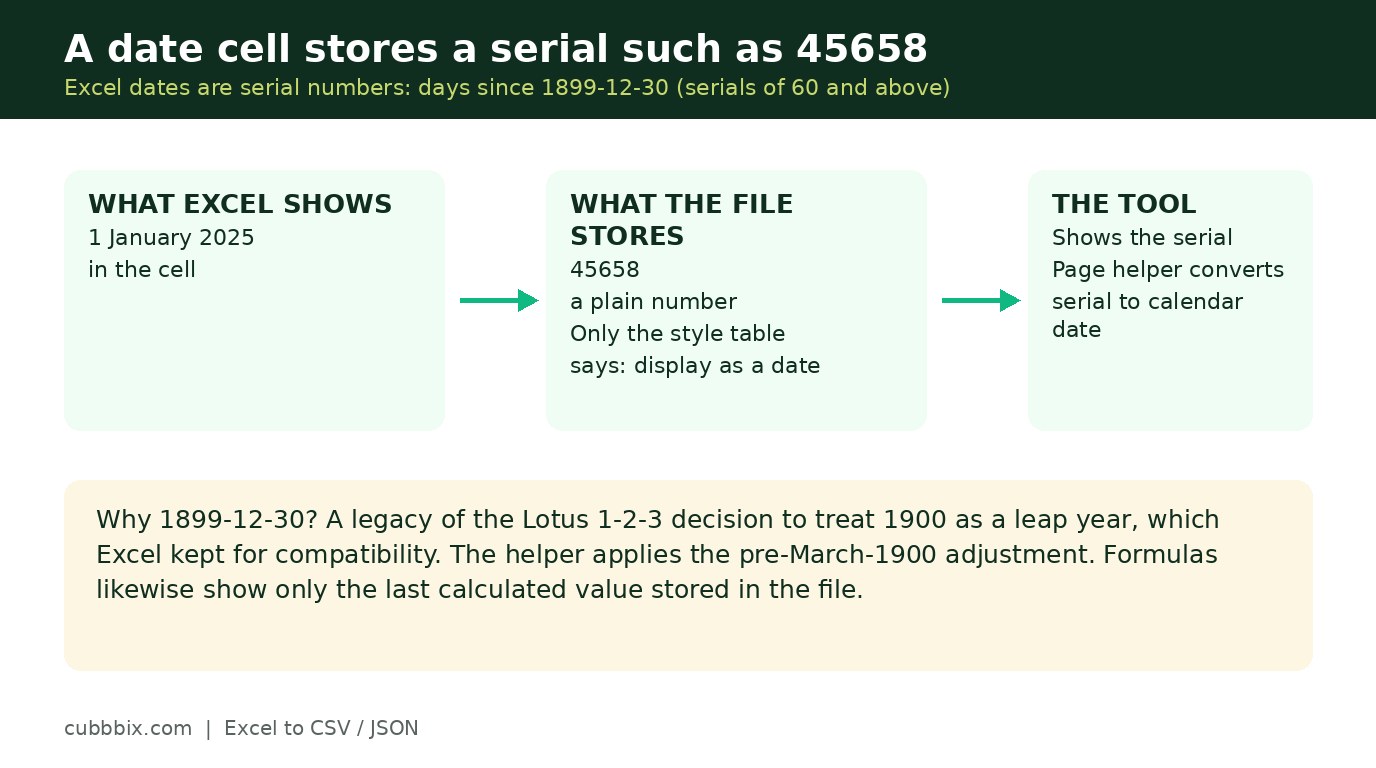
Figure 2: A date cell stores a serial such as 45658. Only the style table says to show it as a date.
What is not carried over
Formatting is not reproduced: fonts, colours, column widths and cell styles stay in the workbook. Merged cells appear only in their top-left cell, with the other cells empty, because a flat table has nowhere else to put them. Charts, images and pivot tables are not extracted. The older binary .xls format and password-protected files are not supported: .xls is not a ZIP of XML, and a protected file cannot be read without its password, which this tool never asks for.
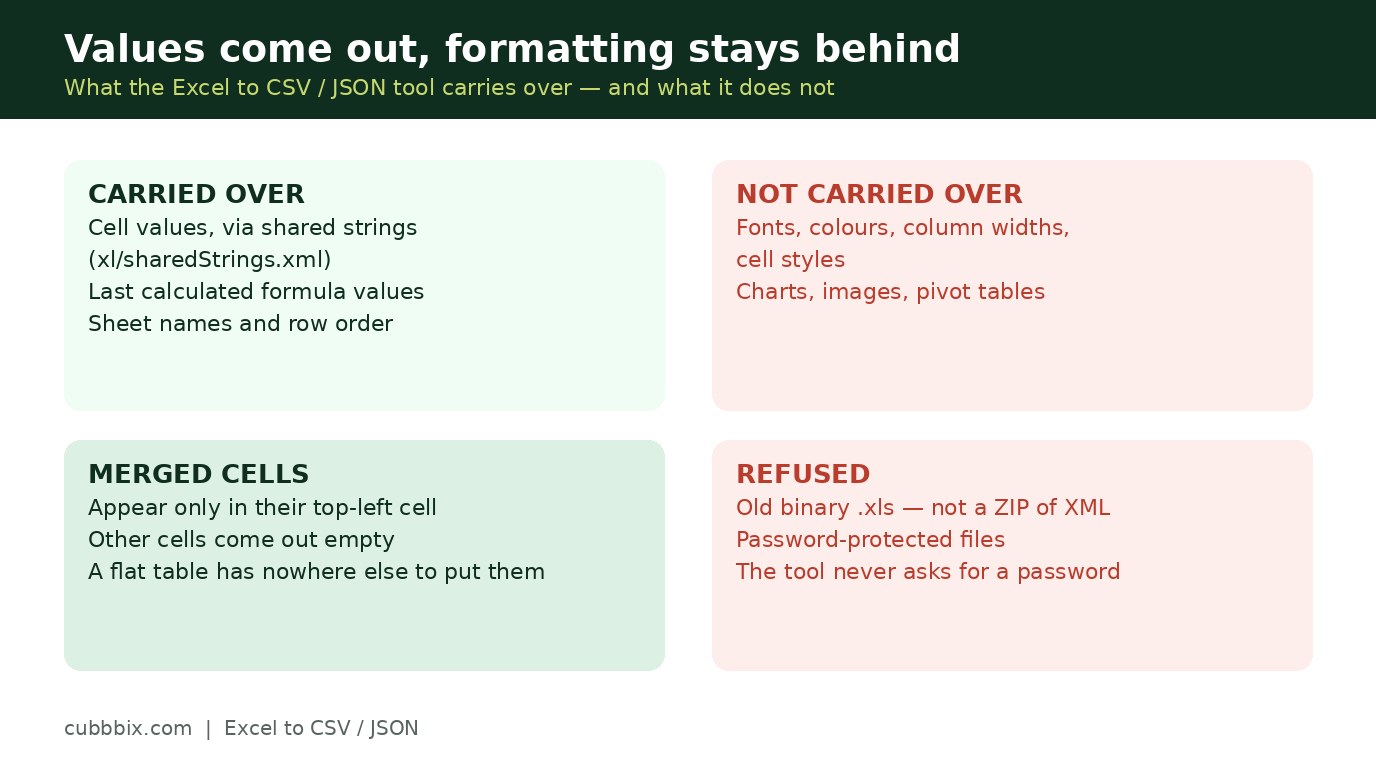
Figure 3: Values come out, formatting stays behind. Merged cells appear only in their top-left cell.
Questions people ask
Why do dates show as numbers such as 45658?
Because Excel stores dates as serial numbers, days since 1899-12-30 for serials of 60 and above, and only the style table marks a cell as a date. This tool reads values, not styles, so it shows the serial. Type it into the helper on the tool page to see the calendar date.
Why is a formula cell blank?
Because the tool shows the last calculated value stored in the file, and some files are saved without calculated values. Open the file in Excel or LibreOffice, let it recalculate, save it, and extract again.
Does this tool upload my spreadsheet?
No. The unzipping and the parsing run in your browser. The file never leaves your device.


Was this article helpful?
Comments
Loading comments...