The Science of Keyboard Speed: How Fast Can Gamers Really Type and React?

TL;DR
How fast can gamers really press keys? Reaction time, typing speed, CPS and muscle memory, plus the keyboard hardware that actually matters.
Table of Contents
In competitive gaming, a fraction of a second can separate victory from defeat. Whether dodging an incoming attack, landing a perfectly timed jump or reacting to an opponent appearing around a corner, keyboard responsiveness and hand-eye coordination play an important role in how effectively players perform.
But how fast can gamers actually press keys? Are experienced players naturally quicker than everyone else? And can practising keyboard speed genuinely improve gaming performance?
The answers involve a fascinating combination of neuroscience, muscle memory, human reaction times and the technology sitting beneath our fingertips.
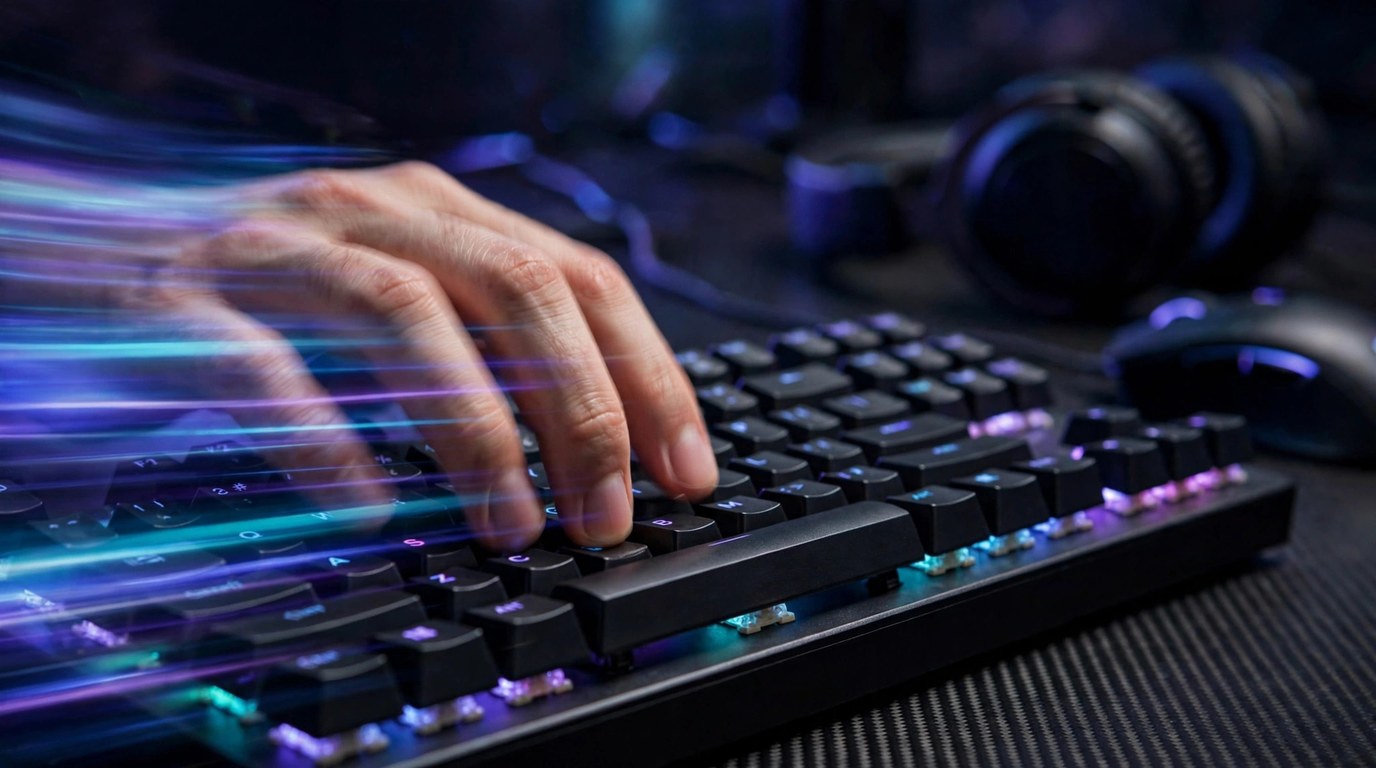
Figure 1: A gamer's hand moving at speed over a backlit mechanical keyboard.
What Happens When You Press a Key?
Pressing a keyboard button seems instantaneous. In reality, even the simplest action involves several processes working together.
Imagine playing a first-person shooter. An opponent suddenly appears on your screen, and you instinctively press a movement key to escape.
Before that keypress happens, your body must complete several steps:
- Visual detection: Your eyes register the change on screen.
- Information processing: Your brain recognises the object and determines whether a response is necessary.
- Decision-making: You select an appropriate action based on the situation.
- Motor activation: Your nervous system sends signals to the muscles controlling your fingers.
- Physical execution: Your finger moves, and the keyboard registers the input.
The entire sequence may take only a few hundred milliseconds, depending on the complexity of the task, the individual's abilities and their level of preparation.
Experienced players can develop more efficient responses to familiar situations. Rather than consciously considering every possible action, they learn to recognise patterns and execute practised movements.
However, there is an important distinction between responding quickly to a stimulus and repeatedly pressing a key at high speed.
These are related motor abilities, but they are not the same skill.
Typing Speed vs. Reaction Time: Understanding the Difference
When discussing keyboard performance, three measurements are particularly useful.
| Measurement | What It Measures | Common Application |
|---|---|---|
| Words per minute (WPM) | Speed of typing text | Communication and typing tests |
| Clicks per second (CPS) | Frequency of repeated button presses | Keyboard and mouse speed challenges |
| Reaction time (ms) | Delay between a stimulus and a response | Reflex tests and competitive gaming |
A player might type 100 words per minute but perform relatively poorly in a reaction-time test.
Similarly, someone with excellent reflexes might struggle to maintain rapid, repetitive keypresses for an extended period.
Each measurement evaluates a different aspect of physical and cognitive performance.
How Fast Can People Actually Type?
One of the largest studies of modern typing behaviour examined approximately 136 million keystrokes from 168,000 volunteers.
Researchers from Aalto University and the University of Cambridge found that participants averaged approximately 52 words per minute, although individual results varied considerably.
Some participants achieved speeds of 120 words per minute or more.
Interestingly, faster typists were not necessarily those using traditional ten-finger typing techniques. Researchers discovered that efficient finger movements, fewer errors and overlapping keystrokes were important characteristics of high-speed typing.
This overlapping technique, known as rollover, involves pressing the next key before completely releasing the previous one.
The findings, described in the University of Cambridge's research report, What Makes a Faster Typist?, demonstrate that keyboard speed depends on much more than simply moving your fingers quickly.
Coordination, accuracy and efficient movement patterns also matter.
How Fast Can Gamers Press the Spacebar?
While typing speed measures sequences of letters and words, repeated-keypress tests offer a simpler way to examine finger speed.
The spacebar is particularly interesting because it is one of the largest, most frequently used keys on a gaming keyboard.
In many games, it controls essential actions such as jumping, climbing or interacting with the environment.
Repeatedly pressing it over a fixed period allows players to measure their tapping frequency.
This is normally expressed as clicks per second (CPS).
The calculation is straightforward:
CPS = Total Keypresses ÷ Test Duration
For example:
- 40 presses in 10 seconds = 4 CPS
- 60 presses in 10 seconds = 6 CPS
- 80 presses in 10 seconds = 8 CPS
- 100 presses in 10 seconds = 10 CPS
These examples illustrate how CPS is calculated, rather than establishing scientifically validated performance categories.
Anyone curious about their own tapping speed can experiment with a browser-based tool such as GamerBolt's spacebar counter, which measures repeated presses, calculates CPS and allows users to compare their performance across different timed challenges.
Testing multiple durations is particularly useful because maintaining a high tapping frequency over 30 seconds requires different physical abilities from producing a brief burst of activity.
A player might achieve an impressive score over five seconds but struggle to maintain that pace for a full minute.
This highlights another important factor: muscular endurance.
Are Gamers Really Faster Than Non-Gamers?
The idea that video games improve reflexes has been debated for years.
There is evidence that experienced players can outperform non-players on certain cognitive and motor tasks, although the relationship is more complicated than it initially appears.
A 2026 study published in the journal Brain Sciences compared 35 regular League of Legends players with 36 control participants.
Researchers assessed visual reaction time, target acquisition, response accuracy and hand-eye coordination.
The gaming group demonstrated faster responses on several tasks. For example, the researchers observed differences of approximately 45–48 milliseconds in visual reaction-time measurements between the groups.
The findings are detailed in the study Psychomotor Performance in Esports Players: A Comparative Study of Visual Reaction Time and Hand-Eye Coordination.
However, the researchers highlighted an important limitation: the study was observational.
It could not establish whether playing games actually caused the improvements or whether individuals with naturally stronger abilities were more likely to become regular players.
The distinction matters.
Gaming experience may be associated with better performance in particular tasks, but it does not automatically make someone faster at every type of physical or cognitive activity.
Why Muscle Memory Matters More Than Raw Speed
One of the most important aspects of gaming performance is the ability to execute familiar actions without deliberate thought.
Consider someone learning to play a new PC game.
Initially, locating the correct keys might require conscious effort. The player may need to look at the keyboard, hesitate between actions or accidentally press the wrong button.
After repeated practice, those movements become increasingly automatic.
This process is often described informally as muscle memory, although it actually involves learned motor patterns coordinated by the nervous system.
Over time, players develop greater consistency when performing familiar sequences.
For example, an experienced player might smoothly combine movement, jumping and directional inputs because the action sequence has been practised hundreds of times.
A beginner might attempt the same sequence just as quickly but make considerably more mistakes.
This demonstrates why accuracy and consistency often matter more than maximum finger speed.
Pressing the correct button at the right moment is generally more valuable than pressing several buttons unnecessarily.
Does Your Keyboard Affect Gaming Speed?
Human performance is only one part of the equation.
The keyboard itself can influence how inputs are registered and how comfortable repeated movements feel.
Several hardware characteristics are worth understanding.
1. Switch Actuation
Keyboard switches register an input when they reach their activation point.
Some switches require relatively little movement before registering a press, while others need a longer travel distance.
A shorter actuation distance may make certain rapid inputs feel easier, although it can also increase accidental presses for some users.
2. Key Travel and Reset
After a key activates, it must return sufficiently for another distinct press to register.
Switch design, reset behaviour and the player's tapping technique influence how comfortably repeated inputs can be performed.
3. Polling Rate
Polling rate describes how frequently a keyboard reports its state to a connected computer.
For example, a 1,000 Hz polling interval corresponds to one report opportunity every millisecond.
However, polling rate alone does not determine the keyboard's total input latency. Firmware processing, scanning behaviour and the rest of the input system also contribute.
4. Keyboard Layout and Comfort
Keyboard ergonomics can influence how naturally a player's hands move.
An awkward wrist position or excessive finger tension can make repeated movements uncomfortable.
A well-positioned keyboard, relaxed hands and suitable key spacing can help maintain control during longer sessions.
Ultimately, expensive hardware cannot compensate for poor technique, but a comfortable and responsive setup can make consistent performance easier.
Why Fast Fingers Don't Always Mean Faster Gaming
It is tempting to assume that someone capable of pressing a key 10 times per second must be an excellent competitive player.
In practice, gaming performance depends on far more than mechanical speed.
Different genres emphasise different skills.
First-person shooters: Players need accurate aiming, situational awareness, positioning and rapid decisions. Reaction speed matters, but predicting an opponent's movements can be equally important.
Rhythm games: Success depends on precise timing, coordination and recognising complex input patterns. Pressing keys faster than required can actually reduce accuracy.
Strategy games: Players must manage resources, interpret information and perform multiple actions efficiently. Rapid inputs can help, but poor decisions remain costly.
Platformers: Movement timing, directional control and familiarity with level design frequently matter more than maximum tapping frequency.
Competitive multiplayer games: Communication, teamwork and the ability to anticipate opponents can outweigh minor differences in raw physical speed.
A highly skilled player often appears incredibly fast because they know what to do before a less experienced player has fully understood the situation.
Anticipation reduces the amount of decision-making required when an event occurs.
This is one reason professional gaming should not be reduced to a competition of reflexes alone.
How to Improve Keyboard Speed and Coordination
Improving keyboard performance does not necessarily require expensive accessories or hours of repetitive exercises.
A structured approach can be more productive.
Start by Measuring Your Baseline
Choose a simple keyboard speed challenge and complete several attempts using identical settings.
Record the average rather than relying on one unusually good result.
Practise Short, Controlled Sessions
Brief exercises can help familiarise your fingers with repeated movements.
Focus on maintaining a steady rhythm rather than immediately attempting the fastest possible speed.
Experiment With Finger Positioning
Small differences in wrist angle, finger placement and tapping technique can change how comfortable an exercise feels.
Avoid unnecessary force when pressing keys.
Prioritise Accuracy
When practising more complex input sequences, begin at a manageable speed and gradually increase the pace.
The goal is to develop reliable movements, not simply faster mistakes.
Take Regular Breaks
Repeated pressing can place strain on the fingers, hands and forearms.
Stop if you experience pain, tingling or persistent discomfort. Extended, forceful repetition is not an effective substitute for balanced practice.
Practise the Skills Your Games Actually Require
If your goal is better performance in a particular game, spend time developing that game's specific mechanics.
A high CPS score may be enjoyable to pursue, but improvement in a tapping test does not automatically translate into better competitive results.
A Simple Seven-Day Keyboard Speed Experiment
For anyone interested in tracking progress, a short personal experiment can reveal how consistent their tapping technique is.
| Day | Activity | What to Record |
|---|---|---|
| 1 | Complete three 10-second tapping tests | Average CPS |
| 2 | Repeat with a relaxed tapping technique | CPS and comfort |
| 3 | Experiment with finger positioning | Average CPS |
| 4 | Take a rest day | Any discomfort |
| 5 | Complete three 5-second challenges | Short-burst CPS |
| 6 | Complete three 30-second challenges | Sustained CPS |
| 7 | Repeat the original Day 1 test | Change in average CPS |
For meaningful comparisons, use the same keyboard, browser and test settings wherever possible.
An improvement over one week does not necessarily indicate a permanent increase in motor ability. Greater familiarity with the test, variations in concentration and ordinary measurement fluctuations may also affect results.
Nevertheless, the experiment provides an accessible introduction to measuring human-computer interaction.
Frequently Asked Questions
What is a good keyboard tapping speed for gaming?
There is no universally accepted CPS benchmark that determines whether someone is a good gamer. Results depend on the test duration, keyboard, technique and individual abilities. It is more useful to compare your performance against your own previous results using consistent conditions.
Does typing faster make you better at video games?
Not necessarily. Typing speed measures text-entry performance, whereas games can require visual processing, strategic decisions, precise movement and rapid responses. Some underlying coordination skills overlap, but they remain different activities.
Can you improve your reaction time through gaming?
Some research has identified better performance on reaction and coordination tasks among experienced players. However, improvements vary according to the activity, and not all studies establish that gaming itself causes the difference.
Are mechanical keyboards faster than regular keyboards?
Certain mechanical keyboards offer features that can improve input responsiveness or control, but actual performance depends on the switch design, electronics, software and individual technique. A mechanical keyboard is not automatically faster in every situation.
Does a spacebar speed test measure reaction time?
No. A repeated-keypress test measures tapping frequency, usually in CPS. A reaction-time test measures the delay between an unexpected stimulus and the user's response. Both involve motor activity, but they evaluate different abilities.
Final Thoughts: Speed Is Only Part of the Equation
Keyboard speed is a fascinating example of how human biology and digital technology interact.
Every keypress involves coordination between the brain, nervous system, muscles and computer hardware. With experience, players can develop more efficient movement patterns, stronger familiarity with controls and greater consistency in demanding situations.
Research also suggests that experienced gamers may demonstrate advantages in certain reaction and coordination tasks, although these findings should not be mistaken for proof that gaming improves every aspect of cognitive performance.
Ultimately, the fastest player is not necessarily the one pressing the most buttons.
True gaming skill comes from combining speed with accuracy, anticipation, timing and intelligent decision-making.
And sometimes, understanding how quickly your fingers move is simply an interesting place to begin.
More from the Blog
Apple tightens App Store rules on AI nudification apps and bait-and-switch tricks
Tesla Roadster reveal: a flying car demo, 0.81 seconds to 60, and a 2028 production date
How to Improve a Home Workstation Before Buying More Equipment
JPEG XL Is Back: Chrome 155 and Firefox 157 Support It Again



Was this article helpful?
Comments
Loading comments...